| .github/workflows | ||
| src | ||
| test | ||
| .gitignore | ||
| adhoc.png | ||
| clipboard-flow.gif | ||
| cursor.gif | ||
| data.json | ||
| flow_links.gif | ||
| highlight.gif | ||
| main.js | ||
| manifest.json | ||
| onoff.gif | ||
| package.json | ||
| README.md | ||
| rollup.config.js | ||
| secret.png | ||
| secrettips.png | ||
| styles.css | ||
| tsconfig.json | ||
| tsconfig.testing.json | ||
| video.png | ||



Extract Highlights Plugin

Create and extract highlights from a current markdown note in Obsidian into your clipboard. Based on icebear's plugin request.
Training Videos
Watch: The Quick-Start Tutorial!

Watch: How to create ad-hoc MOCs

Watch: A SECRET NEW highlight mode
How it works
This plugin will copy the highlights delimited by ==, ** and <mark></mark> into your clipboard as a bullet-list.
Optionally you can customize...
- The heading text of the list, include the note-title or hide it all-together
- Adding a footnote to each that link back to the source-file
- Creating an ad-hoc map-of-content (MOC) by turning each highlight into an
[[Obsidian link]] - Auto-capitalize the first letter in each highlight for consistency
Demo Creating and Extracting Highlights
- First you see how I use the CREATE highlights hot-key to highlight sentences
- Then you see how I use the EXTRACT highlights hot-key to create a new file with the highlights
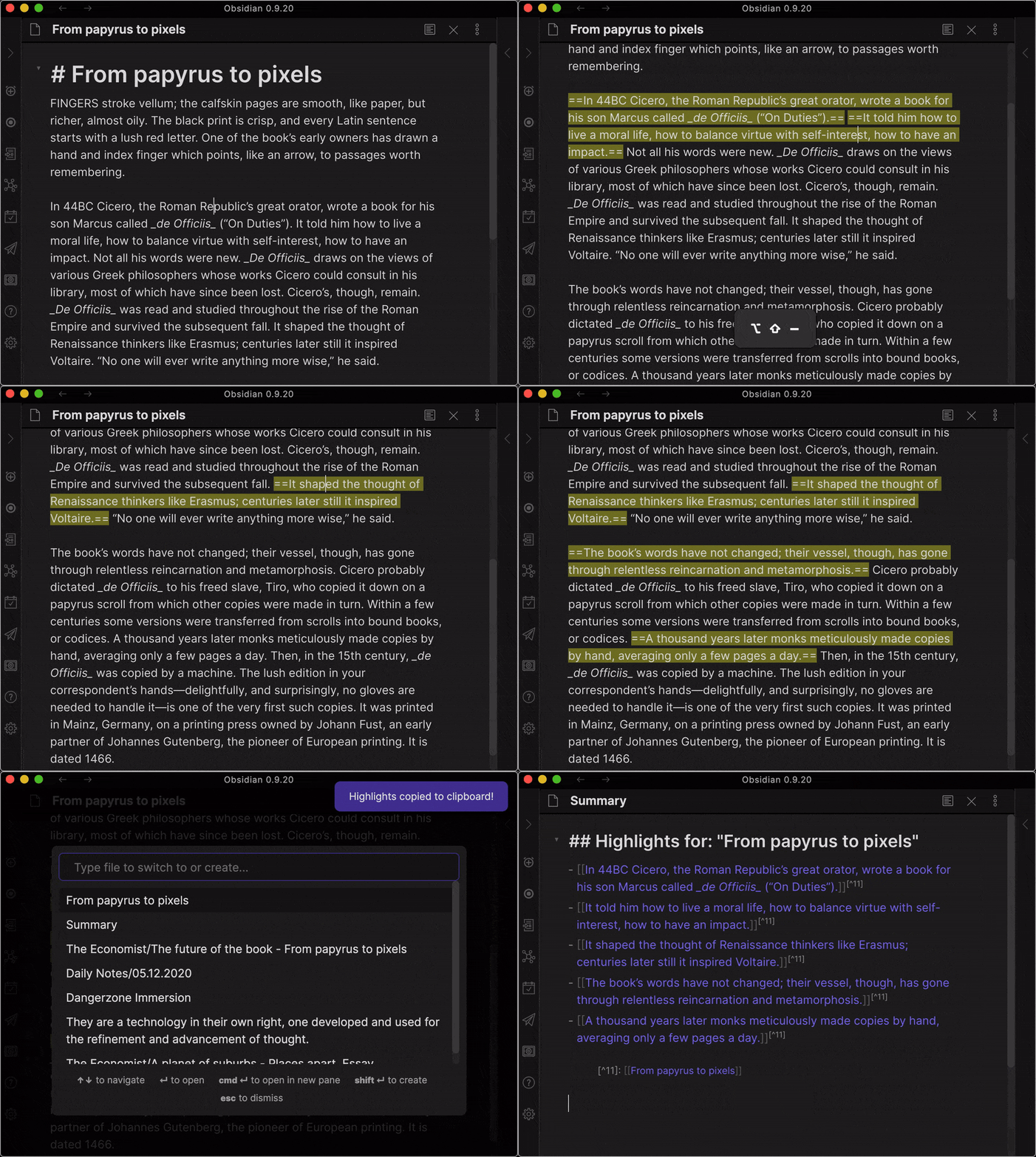
Using the Hotkey to HIGHLIGHT (and UN-HIGHLIGHT) the sentence under cursor
The default hotkey for this is:
SHIFT + ALT + _
Super useful for when you're reading and just don't want to switch to your mouse for selecting the sentence.
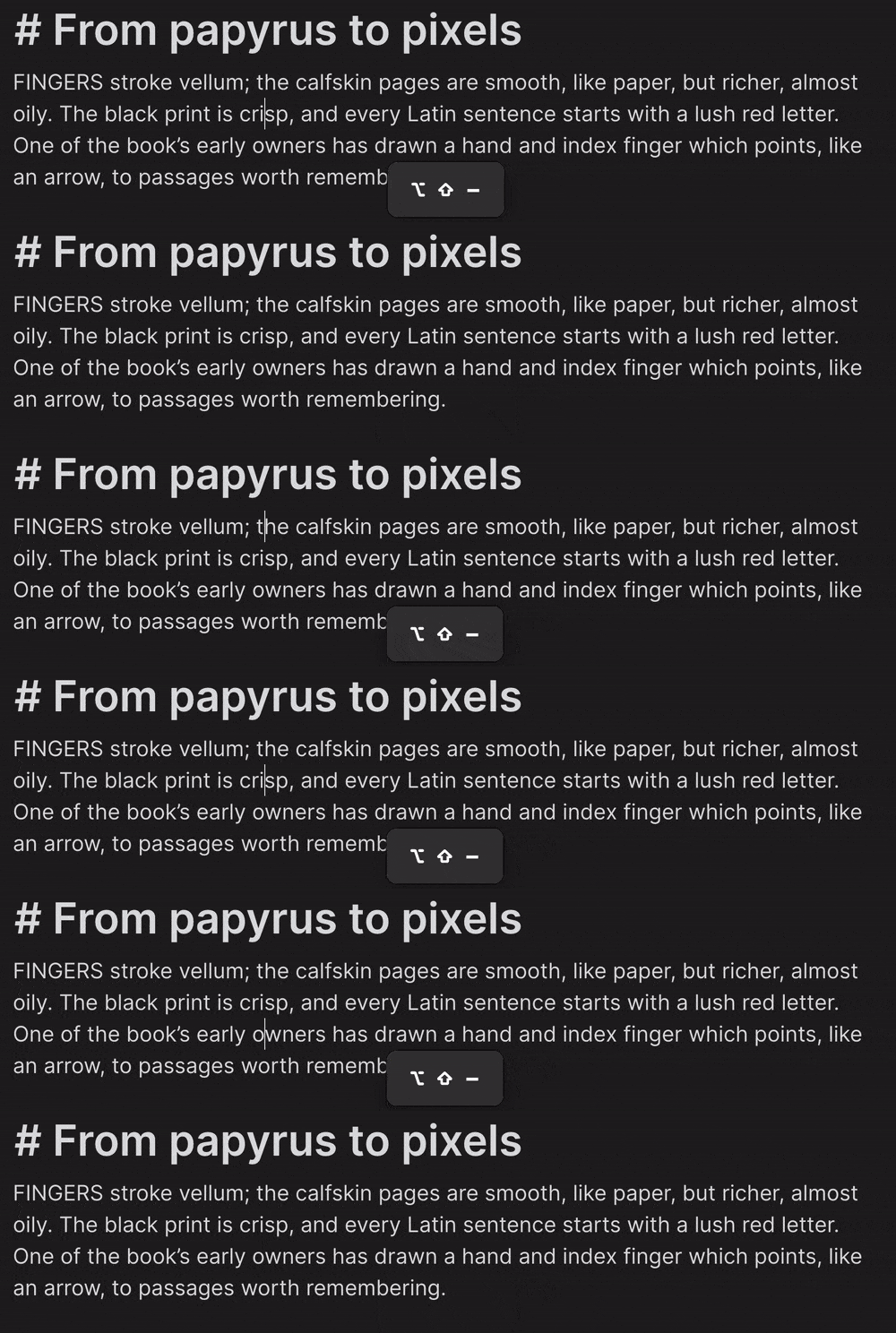
Will remove highlighting if the sentence under your cursor is currently delimited by "==".
Using the Hotkey to EXTRACT highlights
The default hotkey is:
SHIFT + ALT + =
Using the Ribbon Button
There is also a button (a circle-shape) that's added to your left-side ribbon.
Clicking on it will also extract all highlighted parts in your current note and place it in your clipboard.
Using the Command Palette
I looked into it and there’s a bug the way clipboard works with the Command Palette. Basically everything but the “Paste” works.
But I’ve found a temporary work-around. It’s weird but it works.
- Trigger Command Palette (Command-P)
- Find “Extract Highlights”
- Hit Enter (You should see a notification (“Highlights copied to clipboard!”)
- Workaround: At this point, briefly switch to a different note and back (This materialises the clipboard data for pasting)
- Paste works now the same as with the Hotkey and Button-press
Pasting highlights from your clipboard
After using the hotkey, button or command palette, anywhere you want, just paste the clipboard!
Command + v (MacOS) or the equivalent on Windows/Linux
The output is a markdown-block titled "Highlights" with a bullet-list of the highlights.
Feedback
Are you using Extract Highlights? I'd love to hear from you!
Share your questions and suggestions in the forum
Backlog
TODO
- Record video on using the "explosion mode" for research and creating atomic notes
- Pre-requisites
- Highlights Plugin
- Create links
- Create page
- Enable explode mode
- Open notes on creation
- Sliding Panes Plugin
- Highlights Plugin
- Start with a good article (Economist)
- Go through and highlight sentences
- Create MOC and explode into notes
- BOOOMMMMM!!!
- You've got an MOC
- You've got the core for single-idea, atomic notes
- You've got a backlink to the original file
- Pre-requisites
DOING
...
DONE
- "Explode" highlights into individual notes (assumes I'm creating the list of links as well)
- command (SHIFT + ALT + =) which then copies all of the highlighted text either into:
- click a button which then copies all of the highlighted text either into:
- allow for
<mark></mark>to be used as highlights - allow for standard bold (
**) to be used as highlights - allow to optionally include or completely exclude
## Highlightsheading - allow to change text in heading
## My Custom Highlights - allow to include note-name in heading such as
## From: $NOTE_TITLE - allow to add footnotes for each highlight and include link to source-note
- allow to optionally enable bold for highlights
- allow for Command Palette to trigger copying (Works sort of, bug in Electron)
- my clipboard
- a new note