| .github/workflows | ||
| .husky | ||
| .vscode | ||
| pages | ||
| src | ||
| .editorconfig | ||
| .eslintignore | ||
| .eslintrc | ||
| .gitignore | ||
| .npmrc | ||
| .nvmrc | ||
| .prettierignore | ||
| .prettierrc | ||
| .versionrc | ||
| CHANGELOG.md | ||
| esbuild.config.mjs | ||
| jest.config.js | ||
| LICENSE.txt | ||
| manifest.json | ||
| package.json | ||
| README.md | ||
| styles.css | ||
| tsconfig.json | ||
| version-bump.mjs | ||
| versions.json | ||
| yarn.lock | ||

Obsidian Book Search Plugin


Easily create book notes.
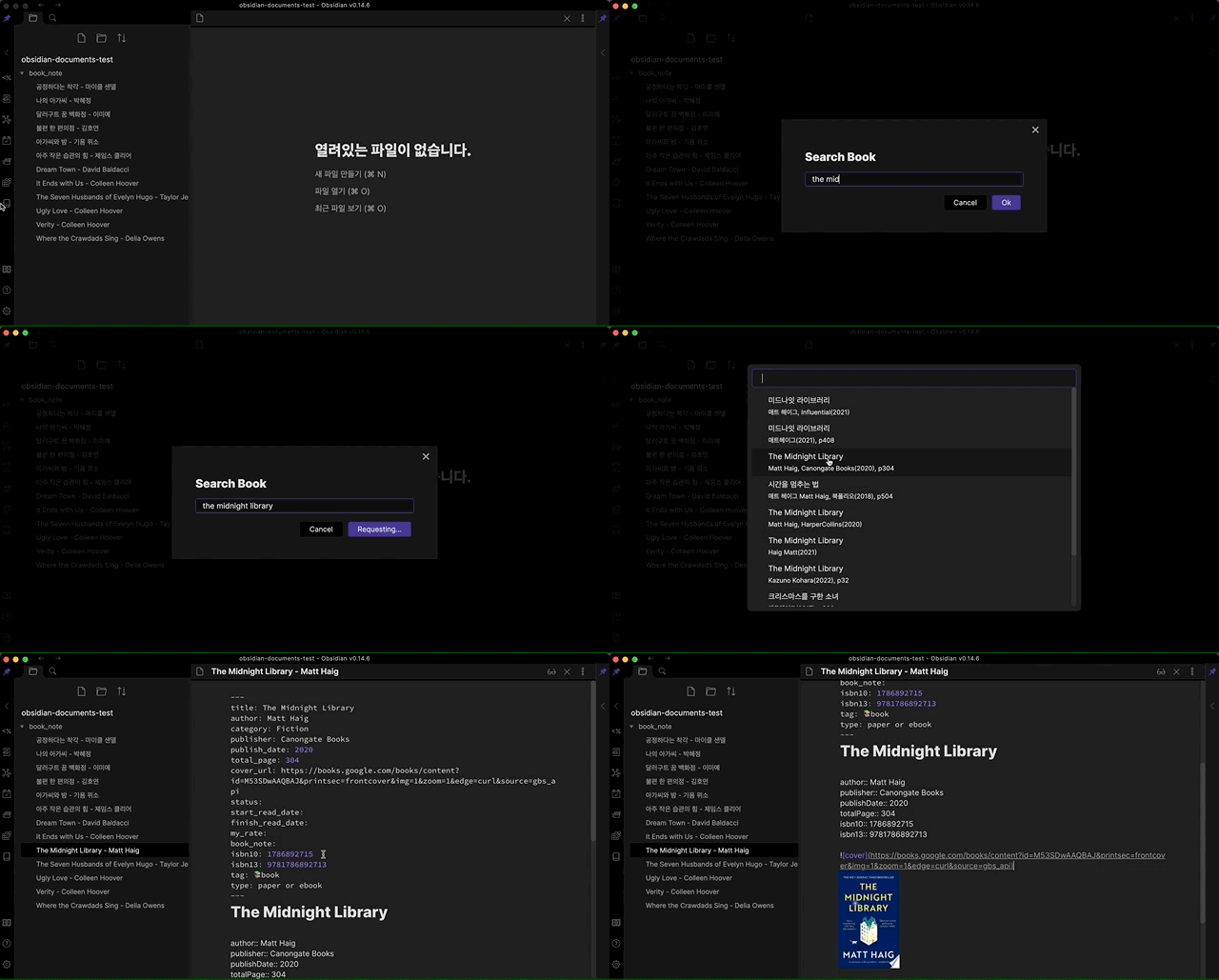
Demo
If this plugin helped you and you wish to contribute :)

Description
Use to query book using :
- A book title, author, publisher or ISBN (10 or 13).
Use Google Books API to get the book information.
How to install
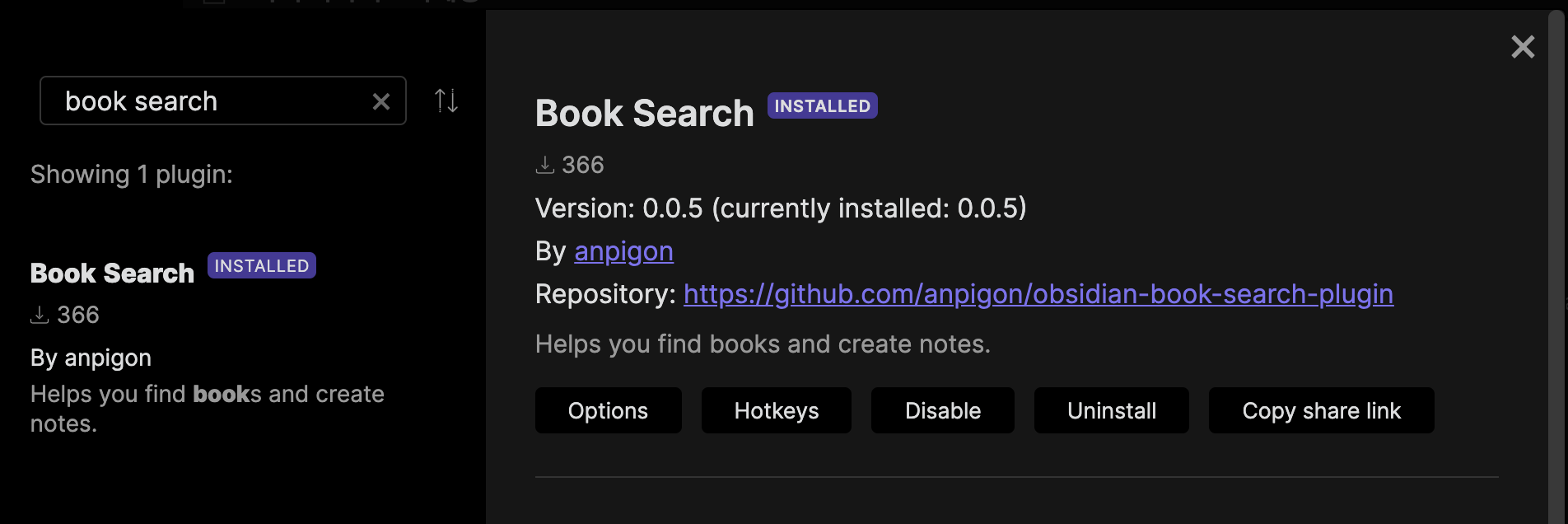
Click the link to install the Book Search plugin: Install Link
Or, Search in the Obsidian Community plugin. And install it.
How to use
-
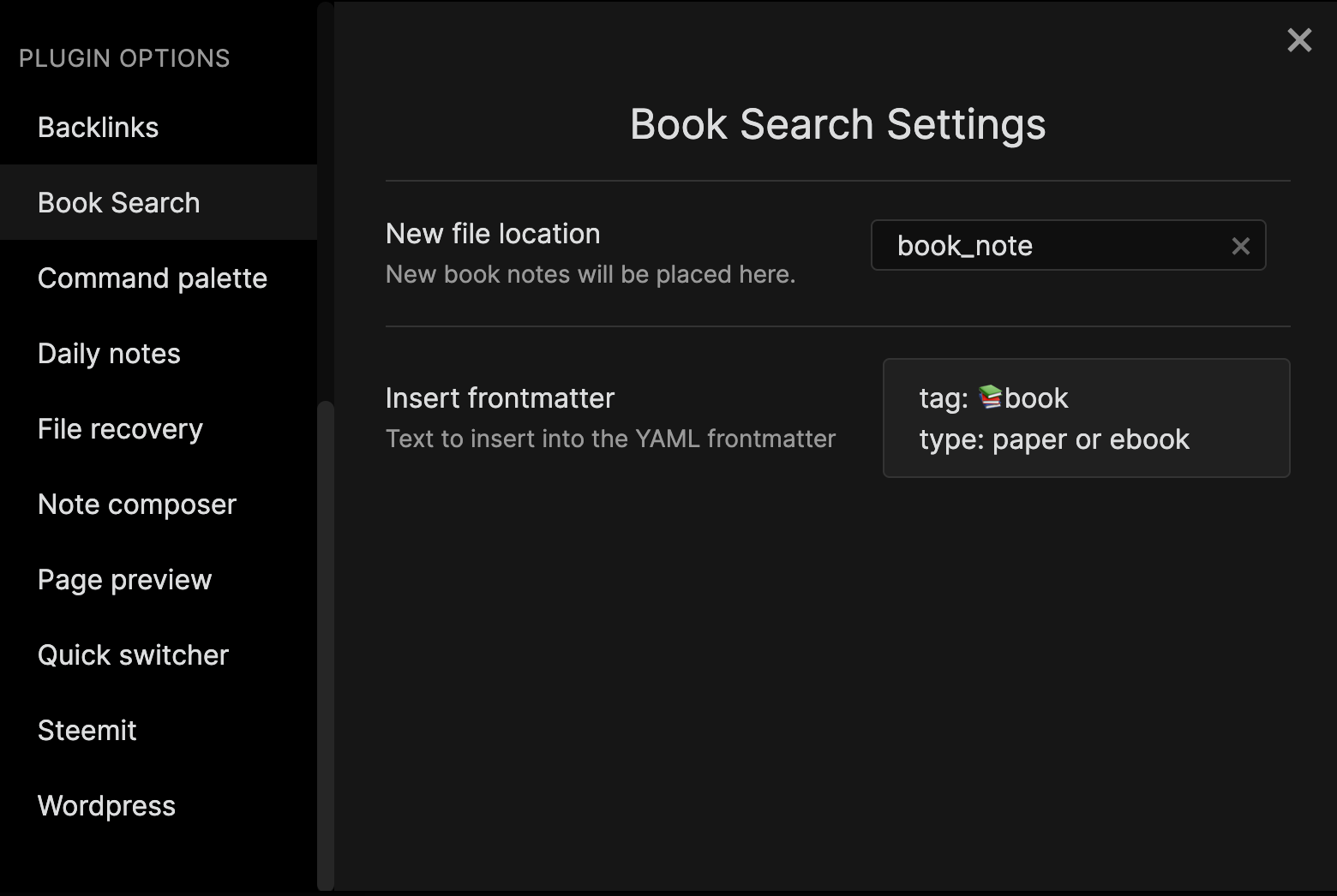
Set the folder to new file location in plugin options. And you can also add a frontmatter that is inserted when creating a note.
-
Excute the command "Create new book note".

-
Search for books by keywords.

-
Select the book from the search results.

-
Voila! A note has been created.

How to use settings
(Deprecated) Text to insert into front matter
You can add the following to the default Front Matter, or create a new Front Matter with the structure you want.
(Deprecated) Text to insert into content
You can add text to the content for Dataview inline metadata.
Please use the template file described below.
Example template
Please also find a definition of the variables used in this template below (see: Template variables definitions).
---
tag: 📚Book
title: "{{title}}"
author: [{{author}}]
publisher: {{publisher}}
publish: {{publishDate}}
total: {{totalPage}}
isbn: {{isbn10}} {{isbn1#template-variable-definition
cover: {{coverUrl}}
status: unread
created: {{DATE:YYYY-MM-DD HH:mm:ss}}
updated: {{DATE:YYYY-MM-DD HH:mm:ss}}
---

# {{title}}
Dataview rendering

Here is the dataview query used in the demo
# 📚 My Bookshelf
```dataview
TABLE WITHOUT ID
status as Status,
rows.file.link as Book
FROM #📚Book
WHERE !contains(file.path, "Templates")
GROUP BY status
SORT status
```
## List of all books
```dataview
TABLE WITHOUT ID
status as Status,
"" as Cover,
link(file.link, title) as Title,
author as Author,
join(list(publisher, publish)) as Publisher
FROM #📚Book
WHERE !contains(file.path, "Templates")
SORT status DESC, file.ctime ASC
```
The banner at the top of the document is rendered using Obsidian-banners plugin.
Template variables definitions
Please find here a definition of the possible variables to be used in your template. Simply write {{name}} in your template, and replace name by the desired book data, including:
| name | description |
|---|---|
| title | The title of the book. |
| author | The name of the book author. It can be multiple people. |
| category | book category |
| publisher | The publisher of the book. |
| totalPage | The total number of pages in the book. |
| coverUrl | Book cover image URL. |
| publishDate | The year the book was published. |
| isbn10 | ISBN10 |
| isbn13 | ISBN13 |
License
Obsidian Book Search Plugin is licensed under the GNU AGPLv3 license. Refer to LICENSE for more information.
Contributing
Feel free to contribute.
You can create an issue to report a bug, suggest an improvement for this plugin, ask a question, etc.
You can make a pull request to contribute to this plugin development.