mirror of
https://github.com/cmorooney/obsidian-game-search-plugin.git
synced 2026-07-22 07:50:25 +00:00
No description
| .github/workflows | ||
| src | ||
| .editorconfig | ||
| .eslintignore | ||
| .eslintrc | ||
| .gitignore | ||
| .npmrc | ||
| .prettierrc | ||
| .versionrc | ||
| CHANGELOG.md | ||
| esbuild.config.mjs | ||
| LICENSE.txt | ||
| manifest.json | ||
| package-lock.json | ||
| package.json | ||
| README.md | ||
| styles.css | ||
| tsconfig.json | ||
| version-bump.mjs | ||
| versions.json | ||

Obsidian Book Search Plugin
Description
Use to query book using :
- A book title, author, publisher or ISBN (10 or 13).
Use Google Books API to get the book information.
How to use
-
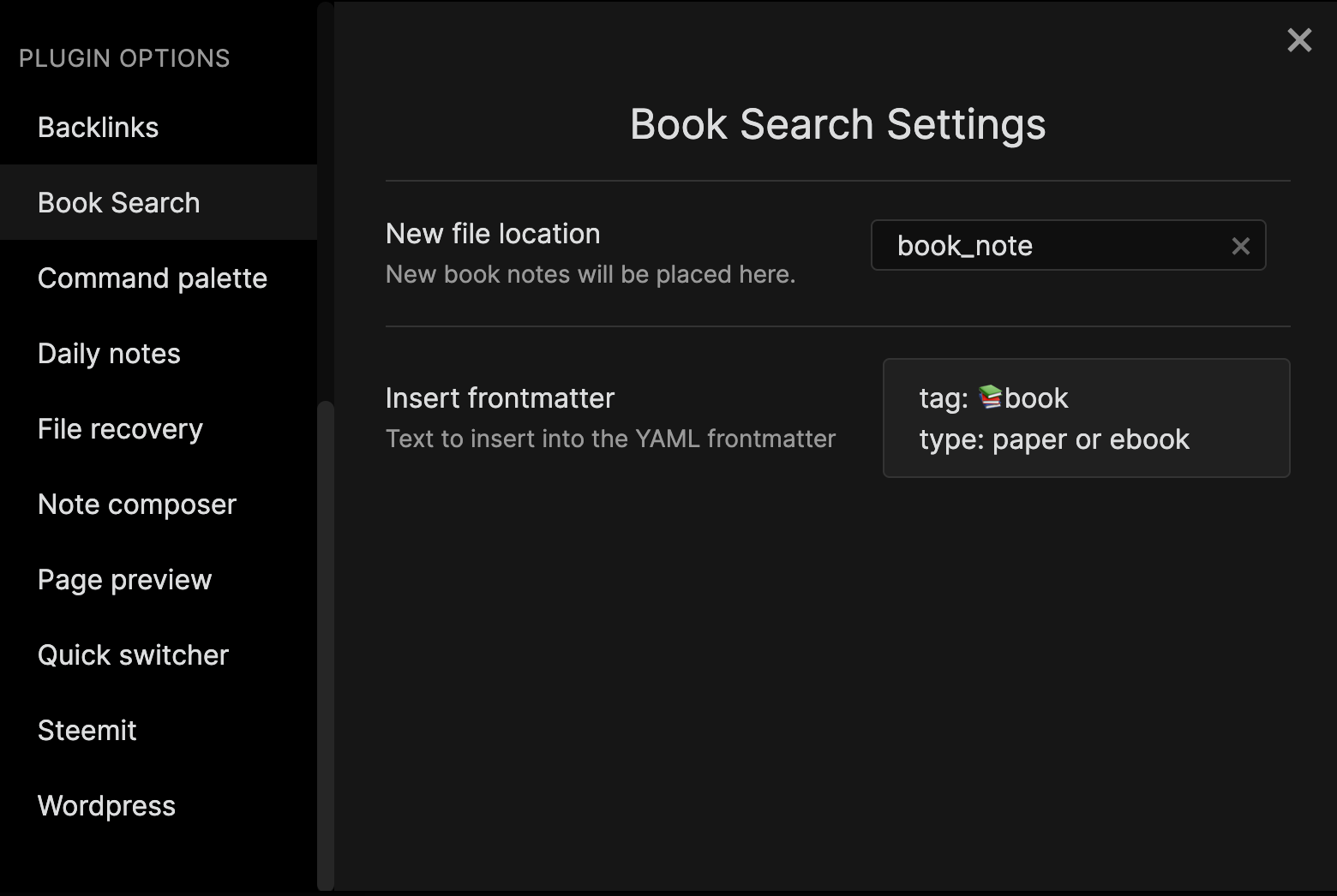
Set the folder to new file location in plugin options. And you can also add a frontmatter that is inserted when creating a note.
-
Excute the command "Create new book note".

-
Search for books by keywords.

-
Select the book from the search results.

-
Voila! A note has been created.

Installation
Download the latest version of the zip file from the release.
And must be cloned or unzipped into your vault's .obsidian/plugins/ directory, then enabled in the Obsidian configuration.
It's not yet registered as a standard community plugin for downloading or updating within Obsidian.