# Simple Banner
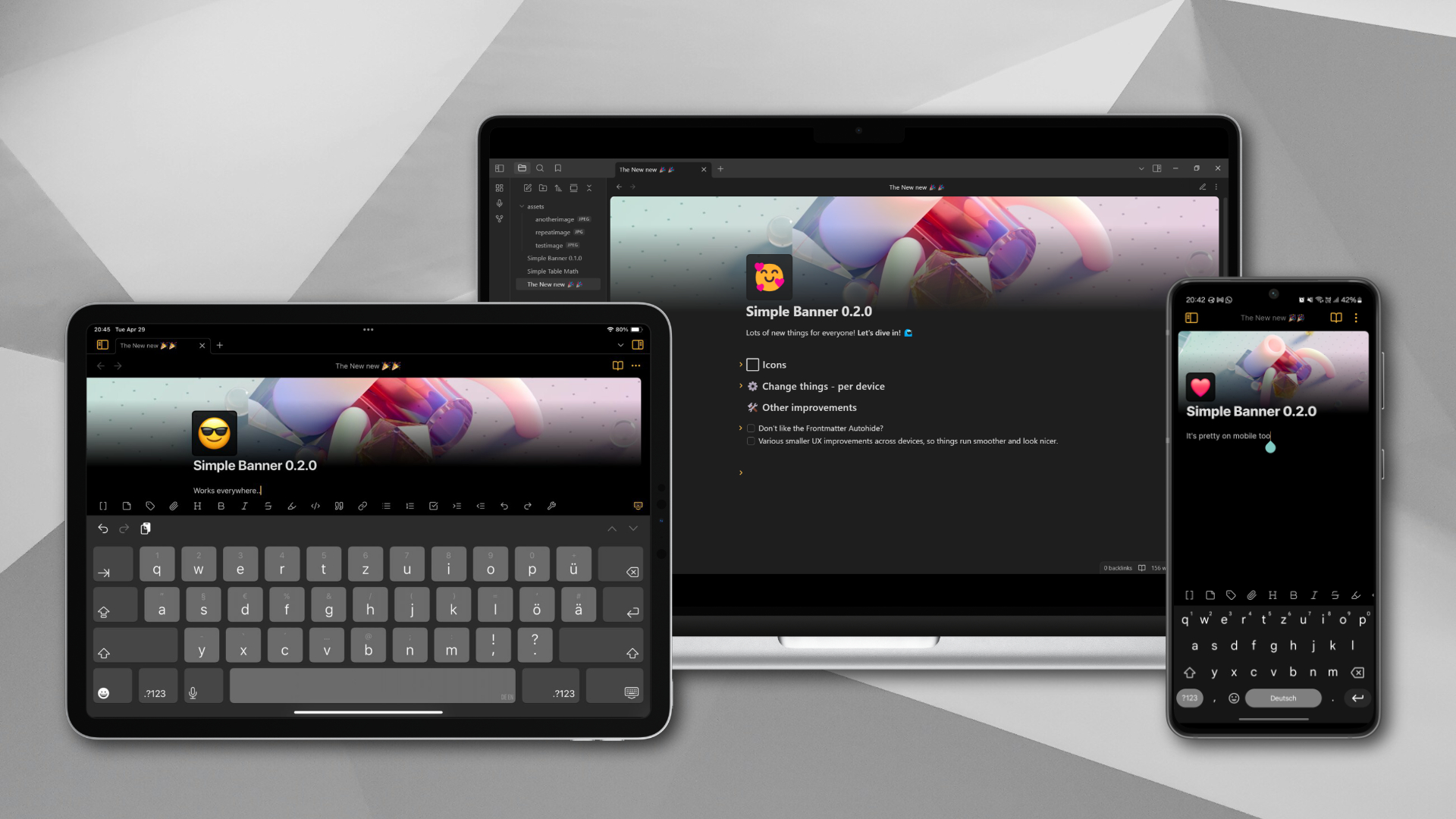
Enhance your Obsidian notes with header images, icons, dates and times. Flexible, customizable - fun!
### Update: `v0.5.0`:
* **New setting - View offset:** This allows you to move the entire note view up and down.
Useful if you have other plugins on top that push simple banner down.
* **Fixed:** Note Offset was not applied when "Autohide frontmatter/properties" was disabled. This is now fixed.
ℹ️ If your current view is affected by this change. Check your Note Offset Setting and correct the value.
### Update: `v0.4.0`:
* **Experimental feature:** Support for video files.
* **Other Changes:**
* Support for relative paths (many thanks Albert O'Shea for the [Pull request](https://github.com/eatcodeplay/obsidian-simple-banner/pull/6))
* Small text changes to the settings as requested by the Obsidian Team
## Key features
* Easily add banner images to your notes and control their options using **a single frontmatter property**.
* Supports **external** and **internal** images (Image URLs, Wikilink, Markdown links and Obsidian URLs).
* **Want an icon? We got icons!** With support for Text, Emojis and external as well as internal images (secondary frontmatter property required though).
* **Want to add time and dates?** Yup, that's also supported.
* Frontmatter properties are **customizable**.
* Property value is **always a well-formed url/link**, so you can use it for other things as well - like [Dataview](https://github.com/blacksmithgu/obsidian-dataview).
* **Visually appealing and UX friendly:** Autohide your Frontmatter properties nicely or keep them close to you.
* Options to control **image repeat** and horizontal/vertical **offset**.
* **Customize to your hearts content:** all settings can be change on a per device basis (desktop, tablet, mobile).
* Highly optimized plugin that is **fast** and **small**.
## Demo
#### Features Demo v0.1.0
https://github.com/user-attachments/assets/1418a892-f31b-4298-9892-7fa745e02532
#### Features Demo v0.2.0
https://github.com/user-attachments/assets/b8b7f552-5f68-4f0a-ad5f-c0d208df30e7
#### Features Demo v0.3.0
https://github.com/user-attachments/assets/1bcf82db-9e7c-4e54-b081-ccafdd8c937b
## Examples
> [!NOTE]
> For demonstration purposes the below examples are shown as `YAML` syntax.
>
> * You can add an image in `Source Mode` or `Live Preview`
> * The examples assume you left the default property name `banner` (changeable in the [settings](#Settings)).
To get you started, the minimum is:
```yaml
# External URL
---
banner: https://link.com/to/your/image.jpg
---
# Internal Asset (Wikilink).
# Optional: add a ! infront, to make it embeddable for things like Dataview
---
banner: [[path/image.jpg]]
---
# Internal or External Asset (Markdown Link)
# Optional: add a ! infront, to make it embeddable
---
banner: [](path/image.jpg)
---
# Or even an Obsidian URL (will be transformed to a Wikilink)
---
banner: obsidian://open?vault=my-vault&file=path%2Fimage.jpg
---
```
Obviously you can do this either in `Source Mode` or `Live Preview` .
Want to add an vertical offset? Sure thing - positive or negative numbers are supported:
```yaml
# External URL
---
banner: https://link.com/to/your/image.jpg#20
---
# Internal Asset (Wikilink)
---
banner: [[path/image.jpg|20]]
---
# Internal Asset (Markdown)
---
banner: [20](path/image.jpg)
---
```
What about a horizontal offset?
```yaml
# External URL
---
banner: https://link.com/to/your/image.jpg#20x20
---
# Internal Asset (Wikilink)
---
banner: [[path/image.jpg|20x20]]
---
# Internal Asset (Markdown)
---
banner: [20x20](path/image.jpg)
---
```
Having a horizontal offset is mostly useful for repeatable images, so there is support for that as well:
```yaml
# External URL
---
banner: https://link.com/to/your/image.jpg#20x20,repeat
---
# Internal Asset (Wikilink)
---
banner: [[path/image.jpg|20x20,repeat]]
---
# Internal Asset (Markdown)
---
banner: [20x20,repeat](path/image.jpg)
---
```
Now that you got the basics down? Want to add an icon? It's a simple as:
```yaml
---
banner: [[path/image.jpg|20x20,repeat]]
icon: ❤️
---
```
## Settings
Since `0.2.0` you can customize the appearance and behavior of Simple Banner per device.
> [!NOTE]
>
> * You will only see the settings that are relevant for the device you are currently using.
> * Earlier settings will be migrated, so you don't loose your current settings.
The settings can bebroken down into two sections:
**Simple Banner - Device specific settings:**
* Enable or disable Simple Banner
* If enabled it will reveal all the customization options to you
* You can also enable or disable the icon here
* If you enable the icon, more settings will be available to you
**Frontmatter Settings:**
- These settings are global
- **Banner Property:** Change the name of the banner frontmatter property that the plugin looks for (default is `banner`).
- **Icon Property:** Change the name of the iocn frontmatter property that the plugin looks for (default is `icon`).
## Installation
### From the Obsidian Community Plugins Tab:
1. Open Obsidian.
2. Go to `Settings` -> `Community plugins`.
3. Make sure `Safe mode` is off.
4. Click `Browse` and search for "Simple Banner".
5. Click `Install` and then `Enable` the plugin.
### Manually:
You can install it either by using [BRAT](https://obsidian.md/plugins?id=obsidian42-brat) or manually by following the instructions below:
1. Download the latest release from the [Releases](https://github.com/eatcodeplay/obsidian-simple-banner/releases) page.
2. Extract the downloaded ZIP content into a new folder in your Obsidian vault's plugins folder (e.g., `/.obsidian/plugins/simple-banner`).
3. **Note:** On some operating systems, the `.obsidian` folder might be hidden. Make sure to show hidden files in your file explorer.
4. Open Obsidian.
5. Go to `Settings` -> `Community plugins`.
6. Make sure `Safe mode` is off.
7. Find "Simple Banner" in the list and enable it.
## Contributing
If you find any issues or have suggestions for improvements, feel free to open an issue or submit a pull request on the [GitHub repository](https://github.com/eatcodeplay/obsidian-simple-banner/).
## License
[MIT License](LICENSE)
---
**Enjoy adding Banners and Icons to your notes!**