| images | ||
| scripts | ||
| src | ||
| template | ||
| .eslintrc | ||
| .gitignore | ||
| .prettierrc | ||
| CHANGELOG.md | ||
| esbuild.config.mjs | ||
| LICENSE | ||
| manifest.json | ||
| package-lock.json | ||
| package.json | ||
| README.md | ||
| styles.css | ||
| sync-version.js | ||
| tsconfig.check.json | ||
| tsconfig.json | ||

Macros Plugin for Obsidian
The Macros Plugin brings powerful nutrition tracking to your Obsidian vault. It integrates with the FatSecret API to search foods, generate nutrition markdown files, and dynamically render macro blocks and pie charts.
🎬 Demo
🔍 Searching for Food

🍎 Creating and Visualizing Macros

Features
- 🥑 Food Search using FatSecret API or manually add your own
- 📝 Markdown food entries with calories, protein, fat, and carbs
- 📊 Macros blocks for organizing food and meals
- 🥗 Meal templates for quick reusable meal groups
- 🍽️ Pie charts (
macrospc) to visualize macros - 📐 Custom serving sizes and interactive add/remove
- 📈 Aggregate mutiple IDs (
macroscalc) to combine multiple macro blocks together
Installation
Install directly from Community Plugins via Obsidian
- Enable community plugins
- Search Macros
- Install and enable Macros
Manual (from GitHub):
- Clone or download this repository.
- Copy the following files into your Obsidian plugin directory:
main.jsmanifest.jsonstyles.css
- Enable the plugin in Obsidian settings under Community Plugins.
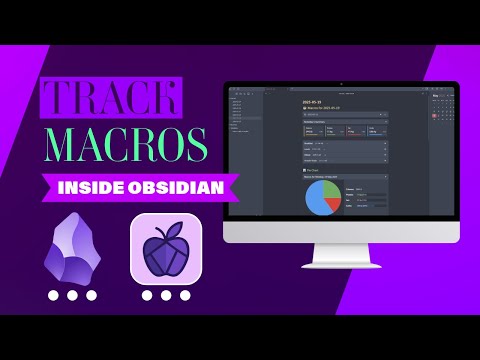
🎥 Full Video Demo
Watch the full walkthrough on YouTube:
Usage
📦 Searching for Food:
Through the live search feature:
Use the command palette or ribbon icon (apple icon) to open Search for Food.
Select live search.
Type a food name (e.g., "banana") and select a result.
The plugin saves a .md file in your configured folder with nutritional info.
Or manually add your own:
Select manual food entry. Enter the nutritional information of that food item.
📋 Creating Macros Blocks
Add a code block like this to your notes:
```macros
id: today
```
This renders a table and allows interaction with a + button.
📊 Pie Charts
To visualize macros as a chart:
```macrospc
id: today
```
You can also combine multiple blocks:
```macrospc
ids: today, yesterday
```
Agregated totals table for multiple blocks
```macroscalc
ids: today, yesterday
```
Settings
- Storage Folder – Where food files are saved
- Colors – Customize pie chart colors
- Meal Templates – Define reusable meal groups
- Display - Toggle on/off additional information
- FatSecret Credentials – Add your own API key/secret (optional)
API Credentials (FatSecret)
To access food search, you must register and paste API credentials into plugin settings.
Roadmap
- More options to fetch imperial units for serving size (cups, tablesoons, teaspoons etc.)
- Daily calorie goals tracking
- Add support for fetching micronutrient data (e.g. vitamins and minerals) and compare against user-defined or recommended daily allowances (RDA).
License
Feedback / Issues
Please open an issue or post in the Obsidian forum thread once it’s live!
Crafted with ❤️ for Obsidian users who love food and data.