| .github | ||
| images | ||
| scripts | ||
| src | ||
| template | ||
| .eslintrc | ||
| .gitignore | ||
| .prettierrc | ||
| CHANGELOG.md | ||
| esbuild.config.mjs | ||
| LICENSE | ||
| LOCALIZATION.md | ||
| manifest.json | ||
| package-lock.json | ||
| package.json | ||
| README.md | ||
| styles.css | ||
| sync-version.js | ||
| tsconfig.check.json | ||
| tsconfig.json | ||

Macros Plugin for Obsidian
The Macros Plugin brings powerful nutrition tracking to your Obsidian vault. It integrates with the FatSecret API to search foods, generate nutrition markdown files, and dynamically render interactive macro tables and visualizations.
🎬 Demo
🔍 Searching for Food

🍎 Creating and Visualizing Macros

✨ Features
🥑 Food Management
- Live food search using FatSecret API with real-time suggestions
- Manual food entry for custom items not in the database
- Markdown food files with comprehensive nutritional data (calories, protein, fat, carbs)
- Custom serving sizes with automatic nutritional scaling
- Energy unit flexibility - display in kcal or kJ with automatic conversion
🍽️ Meal & Template System
- Meal templates for quick reusable meal groups
- Meal composition analysis with nutritional breakdowns
📊 Macro Tracking & Visualization
- Interactive macro tables (
macros) with collapsible sections - Pie chart visualizations (
macrospc) with customizable colors - Multi-day aggregation (
macroscalc) to combine multiple macro blocks - Daily targets tracking with progress indicators and remaining/exceeded notifications
- Dashboard views with summary cards and progress bars
🌍 Localization & Accessibility
- Multi-language support - currently English and Spanish (more coming!)
- Automatic language detection based on your Obsidian interface language
- Cultural adaptation for date formats, number formatting, and dietary terminology
- Accessibility features including tooltips, keyboard navigation
⚙️ Advanced Features
- Developer mode with debug logging and advanced options
- Real-time updates across all macro blocks when data changes
- Responsive design optimized for both desktop and mobile use
🌍 Localization
The Macros plugin supports multiple languages and welcomes translation contributions!
- 🇺🇸 English - Complete ✅
- 🇪🇸 Spanish - AI-generated, needs native speaker verification ⚠️
- 🇫🇷 French, 🇩🇪 German, 🇮🇹 Italian, 🇯🇵 Japanese, 🇰🇷 Korean and 30+ more languages - Contributors needed 🔍
Want to help translate?
- 📖 Read our Localization Guide
- 🤝 All Obsidian-supported languages are welcome
- 🏆 Contributors will be credited in the plugin
📦 Installation
Via Obsidian Community Plugins (Recommended)
- Open Obsidian Settings → Community Plugins
- Disable Safe Mode (if not already disabled)
- Click "Browse" and search for "Macros"
- Install and enable the Macros plugin
Manual Installation
- Download the latest release from GitHub
- Extract the files to your vault's plugins folder:
VaultFolder/.obsidian/plugins/macros/ - Reload Obsidian and enable the plugin in Settings → Community Plugins
🚀 Quick Start
1. Configure API Access (Optional but Recommended)
- Register for free FatSecret API credentials
- Add your API key and secret in plugin settings
- This enables live food search functionality
2. Add Your First Food
- Use the ribbon icon (🍎) or command palette
- Choose "Live Search" (with API) or "Manual Entry"
- The plugin creates a
.mdfile with nutritional data
3. Create a Macro Table
Add this code block to any note:
```macros
id: today
```
Click the + button to add foods and meals to your tracking.
4. Visualize with Charts
Create beautiful pie charts:
```macrospc
id: today
```
5. Aggregate Multiple Days
Combine multiple macro blocks:
```macroscalc
ids: 2025-01-15, 2025-01-16
```
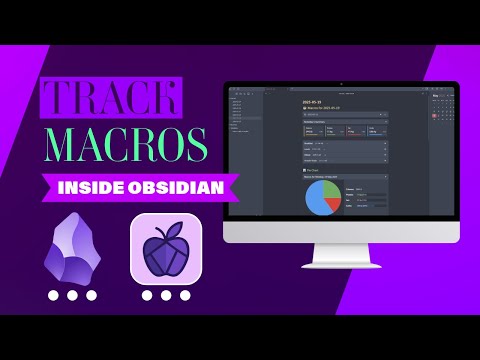
🎥 Full Video Tutorial
Watch the complete walkthrough on YouTube:
⚙️ Advanced Usage
Energy Units
Switch between kilocalories (kcal) and kilojoules (kJ) in settings. All values are automatically converted throughout the interface.
Meal Templates
Create reusable meal combinations:
- Go to Settings → Meal Templates
- Click "Add meal template"
- Select foods and customize serving sizes
- Use the template in any macro table with one click
Multi-Day Tracking
Use date-based IDs for automatic organization
Custom Serving Sizes
All foods support custom serving sizes with automatic nutritional scaling. The plugin remembers your preferences and suggests appropriate portions.
🛠️ Settings & Configuration
Storage
- Storage Folder – Where nutritional data files are saved (default: "Nutrition")
Daily Targets
- Set your daily goals for calories, protein, fat, and carbohydrates
- Choose between kcal/kJ for energy display
- Progress bars and indicators show your progress toward goals
Display Options
- Summary Rows – Show/hide totals, targets, and remaining values
- Cell Percentages – Display percentage of daily targets in table cells
- Tooltips – Rich hover information (can be disabled)
- Energy Unit – Switch between kcal and kJ with automatic conversion
Charts & Colors
- Customize pie chart colors for protein, fat, and carbohydrates
- Live preview shows changes in real-time
Meal Templates
- Create, edit, and manage reusable meal combinations
- Support for custom serving sizes per item
API Configuration
- FatSecret API credentials for live food search
- Test connection feature to verify credentials
Developer Options
- Debug Mode – Enable detailed logging for troubleshooting
- Advanced Commands – Additional commands for power users
🗺️ Roadmap
Short Term
- Imperial units support (cups, tablespoons, ounces) for serving sizes
- Export functionality (CSV, PDF reports)
Long Term
- Micronutrient tracking (vitamins, minerals) with RDA comparisons
- Weekly/monthly summaries with trend analysis
🤝 Contributing
We welcome contributions from the community!
🌍 Translations
Help make the plugin accessible worldwide:
- See our Localization Guide
- All Obsidian-supported languages welcome
- Native speaker verification always needed
🐛 Bug Reports & Feature Requests
- Open an issue on GitHub
- Include your Obsidian version, plugin version, and steps to reproduce
- Feature requests are welcome with use case descriptions
💻 Code Contributions
- Fork the repository and create a feature branch
- Follow the existing code style and include tests
- Submit a pull request with a clear description
📄 License
MIT License - feel free to modify and distribute.
🆘 Support & Community
Getting Help
- 📖 Check the wiki (coming soon)
- 🐛 Report bugs on GitHub
- 💬 Join discussions in the community forum
API Requirements
To use food search functionality, you need free FatSecret API credentials. The plugin does not include default API keys for privacy and usage limit reasons.
Privacy & Data
- All data is stored locally in your Obsidian vault
- API calls to FatSecret only occur during food searches
- No personal data is transmitted or stored externally
- Your nutritional data never leaves your device
🙏 Acknowledgments
Contributors
- Translations: Contributors welcome!
- Code: See all contributors
Special Thanks
- FatSecret Platform for providing nutritional data API
- Obsidian Team for the excellent plugin ecosystem
- Community for feedback, testing, and feature suggestions
Crafted with ❤️ for Obsidian users who love food and data.
Last updated: 2025-07-09