2025-06-13 18:27:31 +00:00
# Variant Editor Obsidian Plugin
2025-06-05 02:50:55 +00:00
2025-06-13 08:04:14 +00:00
[](https://github.com/kunalJa/VariantEditor/releases/latest)
[](LICENSE)
[](https://obsidian.md/plugins?id=variant-editor)
2025-06-05 02:50:55 +00:00
2025-07-23 20:34:04 +00:00

2025-06-05 02:50:55 +00:00
2025-06-13 18:27:31 +00:00
Writing is an iterative process, and finding the perfect phrasing often requires exploring multiple variations of the same text. This plugin makes that process seamless by allowing you to:
2025-06-05 02:50:55 +00:00
2025-06-13 08:04:14 +00:00
- Create multiple variants of words, phrases, or entire sentences
- View each variant in context with a single click
- Compare alternatives side-by-side
- Commit to your favorite variant when you're ready
2025-06-05 02:50:55 +00:00
2025-06-13 08:04:14 +00:00
Stop deleting and rewriting the same sentence over and over. With Variant Editor, you can keep all your ideas and variations in one place, making your writing process more efficient and creative.
2025-06-05 02:50:55 +00:00
2025-06-13 08:04:14 +00:00
## Use
2025-06-05 02:50:55 +00:00
2025-06-13 08:04:14 +00:00
1. Open Obsidian Settings
2. Go to Community Plugins and click "Browse"
3. Search for "Variant Editor"
4. Click Install and then Enable
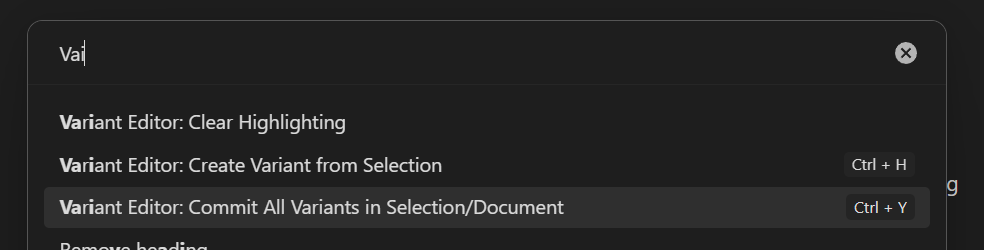
5. Optionally set the hotkeys for the "Create Variant from Selection" and "Commit All Variants in Selection/Document"
6. Select a range of text and use the command palette to create variants!
2025-06-05 02:50:55 +00:00
2025-06-13 08:04:14 +00:00
## Features
2025-06-05 02:50:55 +00:00
2025-06-13 08:04:14 +00:00
### Create and Compare Variants
2025-06-05 02:50:55 +00:00
2025-06-13 08:04:14 +00:00
Variant Editor allows you to create multiple versions of text and quickly switch between them to see which one works best in context.
2025-06-05 02:50:55 +00:00
2025-06-13 08:04:14 +00:00
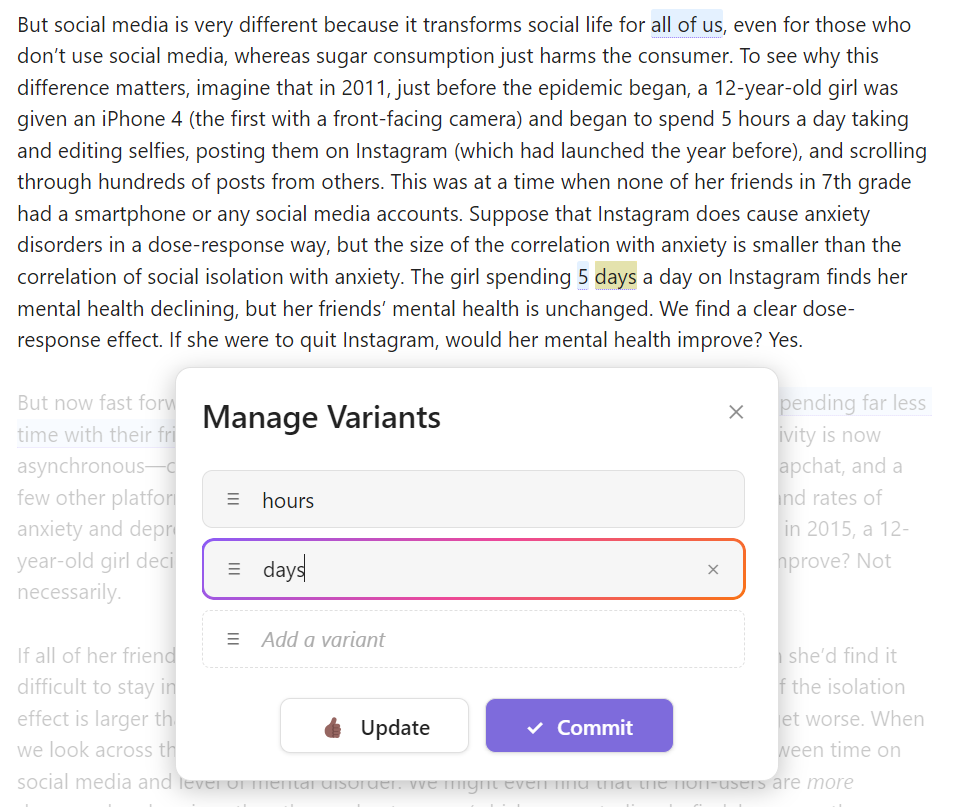
- **Highlight text** and use the command palette to create variants
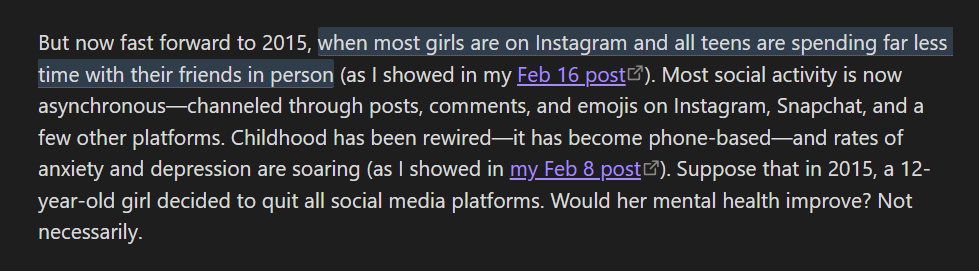
- **Click on variants** to see them in context
- **Drag and reorder** variants to prioritize your favorites
- **Commit** your chosen variant when you're satisfied
2025-06-05 02:50:55 +00:00
2025-06-13 08:04:14 +00:00
### Cross-Platform Support
2025-06-05 02:50:55 +00:00
2025-06-13 08:04:14 +00:00
Variant Editor works seamlessly across all platforms that Obsidian supports:
2025-06-05 02:50:55 +00:00
2025-06-13 08:04:14 +00:00
- Desktop (Windows, macOS, Linux)
- Mobile (iOS and Android)
- Tablet (iPad and Android tablets)
2025-06-05 02:50:55 +00:00
2025-06-13 08:04:14 +00:00
## Screenshots
2025-06-05 02:50:55 +00:00
2025-06-13 08:04:14 +00:00
### Dark Mode
2025-06-05 02:50:55 +00:00
2025-06-13 08:13:58 +00:00

2025-06-05 02:50:55 +00:00
2025-06-13 08:04:14 +00:00
### Light Mode
2025-06-05 02:50:55 +00:00
2025-06-13 08:13:58 +00:00
2025-06-13 08:04:14 +00:00
### See Variants in Context
2025-06-13 08:13:58 +00:00
2025-06-13 08:04:14 +00:00
### Commit All Variants
2025-06-13 08:13:58 +00:00
2025-06-05 02:50:55 +00:00
2025-06-13 08:04:14 +00:00
## How It Works
2025-06-05 02:50:55 +00:00
2025-06-13 08:04:14 +00:00
### Variant Syntax
Variant Editor uses a special syntax to store variants in your Markdown files:
```
{{variant1|variant2|variant3}}^INDEX
2025-06-05 02:50:55 +00:00
```
2025-06-13 08:04:14 +00:00
Where:
- Each variant is separated by a pipe character (`|`)
- `INDEX` is the currently selected variant (0-based)
For example, `{{quick|fast|rapid}}^0` means "quick" is currently selected.
### Usage
1. **Create Variants** :
- Highlight text you want to create variants for
- Use the command palette (`Ctrl/Cmd+P`) and select "Create Variants"
- Enter multiple variants in the modal that appears
- Drag to reorder variants if needed
- Click "Update" to save your variants
2. **View Variants** :
- Click on any variant in your document to see it in context
- The active variant will be highlighted with a rainbow border
3. **Commit Variants** :
- When you're satisfied with a variant, click "Commit" in the modal
- This will replace the variant syntax with the selected text
- You can also use the "Commit All Variants" command to finalize all variants in your document
2025-06-13 08:16:25 +00:00
https://github.com/kunalJa/VariantEditor/raw/master/screenshots/feature_showcase.mp4
2025-06-13 08:04:14 +00:00
### Note on Sharing
If you share your Markdown files with others who don't have the Variant Editor plugin, or turn the plugin off, you'll see the raw variant syntax which looks like `{{variant1|variant2|variant3}}^INDEX` . You can also manually create variants by using this syntax.
### Contributing
Contributions are welcome! Please feel free to submit a Pull Request.
## License
2025-06-05 02:50:55 +00:00
2025-06-13 18:27:31 +00:00
[0BSD ](LICENSE )
