 1633a8d83b
Follow Obsidian style guide: https://docs.obsidian.md/Plugins/Releasing/Plugin+guidelines#Use+sentence+case+in+UI |
||
|---|---|---|
| .github/workflows | ||
| scripts | ||
| supernote-typescript@3adba0e53d | ||
| .editorconfig | ||
| .eslintignore | ||
| .eslintrc | ||
| .gitignore | ||
| .gitmodules | ||
| .npmrc | ||
| esbuild.config.mjs | ||
| LICENSE | ||
| main.ts | ||
| manifest.json | ||
| package-lock.json | ||
| package.json | ||
| README.md | ||
| styles.css | ||
| tsconfig.json | ||
| version-bump.mjs | ||
| versions.json | ||
Supernote Obsidian Plugin
I use my Supernote for capturing hand written notes and reading documents.
But, I already use Obsidian for organizing and capturing all of my digital notes.
This plugin enables me (and now you!) to import handwritten notes into Obsidian and view them on a desktop, phone or tablet.
This plugin has three main features:
-
📝 View Supernote
*.notefiles in your Obsidian Vault. You can link to these notes from your Markdown notes too[My Note](example.note). -
➡️ Export Supernote
*.notefiles as PNGs and/or markdown files and attach them to your Vault. -
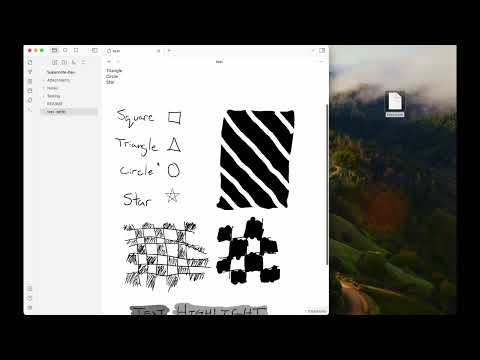
📺 Copy an image from a Supernote via screen mirroring into your current note with the "Insert Supernote mirror image" command (demo video)
Video Demo
Install via BRAT
- Install the BRAT plugin via Community Plugin Search
- Read the docs
- Add
https://github.com/philips/supernote-obsidian-plugin
Manually installing the plugin
- Copy over
main.js,manifest.jsonto your vaultVaultFolder/.obsidian/plugins/obsidian-plugin-supernote/from https://github.com/philips/supernote-obsidian-plugin/releases
Known Issues
- Doesn't seem to work on iOS
Roadmap / Ideas
- 🔗 Note linking
- 🎛️ Settings panel to control file layout, linking, and more
- 🚀 Get listed in the official Obsidian community plugin list
Thank You
Thank you to Tiemen Schuijbroek for developing the initial supernote Typescript library I forked.
FAQ
Q Why isn't there a table of contents in the generated Markdown file?
A Because the Obsidian Outline sidebar accomplishes this same feature.
Relevant Resources
- E-Ink notes in Obsidian / Notion? by Brandon Boswell
- Academic HANDWRITTEN notes in OBSIDIAN ft. Supernote by pixel leaves
Other Helpful Plugins
These are not endorsements but might be useful to pair with this plugin.
Funding
I personally don't accept funding or donations for this project. However, if you feel inclined, consider donating to the Signal Foundation.
Developer Notes
How to use
- Make sure your NodeJS is at least v16 (
node --version). - Clone this repo.
- Setup the deps
git submodule init
git submodule update
cd supernote-typescript/
npm run build
npm link
cd ..
npm link supernote-typescript/
npm ioryarnto install dependencies.npm run devto start compilation in watch mode.