 68abc937e8
Instead of attaching the markdown note that is generated put it alongside the .note file. I think this follows the spirit of attachments a bit more than the old logic. |
||
|---|---|---|
| .github/workflows | ||
| supernote-typescript@3adba0e53d | ||
| .editorconfig | ||
| .eslintignore | ||
| .eslintrc | ||
| .gitignore | ||
| .gitmodules | ||
| .npmrc | ||
| esbuild.config.mjs | ||
| LICENSE | ||
| main.ts | ||
| manifest.json | ||
| package-lock.json | ||
| package.json | ||
| README.md | ||
| styles.css | ||
| tsconfig.json | ||
| version-bump.mjs | ||
| versions.json | ||
Supernote Obsidian Plugin
I use my Supernote for capturing hand written notes and reading documents.
But, I already use Obsidian for organizing and capturing all of my digital notes.
This plugin enables me (and now you!) to import handwritten notes into Obsidian and view them on a desktop, phone or tablet.
This plugin has three main features:
-
📝 View Supernote
*.notefiles in your Obsidian Vault. You can link to these notes from your Markdown notes too[My Note](example.note). -
➡️ Export Supernote
*.notefiles as PNGs and/or markdown files and attach them to your Vault. -
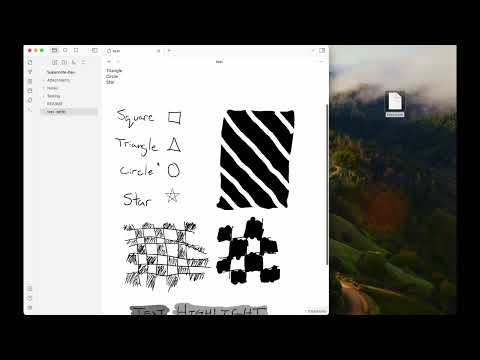
📺 Copy an image from a Supernote via screen mirroring into your current note with the "Insert Supernote mirror image" command (demo video)
Video Demo
Install via BRAT
- Install the BRAT plugin via Community Plugin Search
- Read the docs
- Add
https://github.com/philips/obsidian-plugin-supernote
Manually installing the plugin
- Copy over
main.js,manifest.jsonto your vaultVaultFolder/.obsidian/plugins/obsidian-plugin-supernote/from https://github.com/philips/obsidian-plugin-supernote/releases.
Known Issues
- Doesn't seem to work on iOS
Roadmap / Ideas
- 🔗 Note linking
- 🎛️ Settings panel to control file layout, linking, and more
- 🚀 Get listed in the official Obsidian community plugin list
Thank You
Thank you to Tiemen Schuijbroek for developing the initial supernote Typescript library I forked.
FAQ
Q Why isn't there a table of contents in the generated Markdown file?
A Because the Obsidian Outline sidebar accomplishes this same feature.
Relevant Resources
- E-Ink notes in Obsidian / Notion? by Brandon Boswell
- Academic HANDWRITTEN notes in OBSIDIAN ft. Supernote by pixel leaves
Other Helpful Plugins
These are not endorsements but might be useful to pair with this plugin.
Developer Notes
How to use
- Make sure your NodeJS is at least v16 (
node --version). - Clone this repo.
- Setup the deps
git submodule init
git submodule update
cd supernote-typescript/
npm run build
npm link
cd ..
npm link supernote-typescript/
npm ioryarnto install dependencies.npm run devto start compilation in watch mode.