| src | ||
| .editorconfig | ||
| .eslintignore | ||
| .eslintrc | ||
| .gitignore | ||
| .npmrc | ||
| .prettierrc | ||
| DEV.md | ||
| esbuild.config.mjs | ||
| LICENSE | ||
| manifest.json | ||
| package-lock.json | ||
| package.json | ||
| README.md | ||
| styles.css | ||
| tsconfig.json | ||
| version-bump.mjs | ||
| versions.json | ||

🏹 Crossbow

Crossbow is a plugin for Obsidian.
Boost your Obsidian note-taking workflow with this plugin that offers handy suggestions for links to headings, tags, and files, helping you effortlessly weave a web of interconnected notes and supercharge your note graph.
How to use
Just open the crossbow sidebar by clicking on the crossbow icon. All the suggestions will appear within the sidebar.
Applying suggestions
Clicking on a suggestion in the sidebar will show you a list of occurrences of the word in the current note. Clicking on one of the occurences will scroll to it and show you a list of matched cache items that you can link to. These matches are ranked, based on the quality of the match.
You can apply a match by clicking the appropriate icon next to the match:
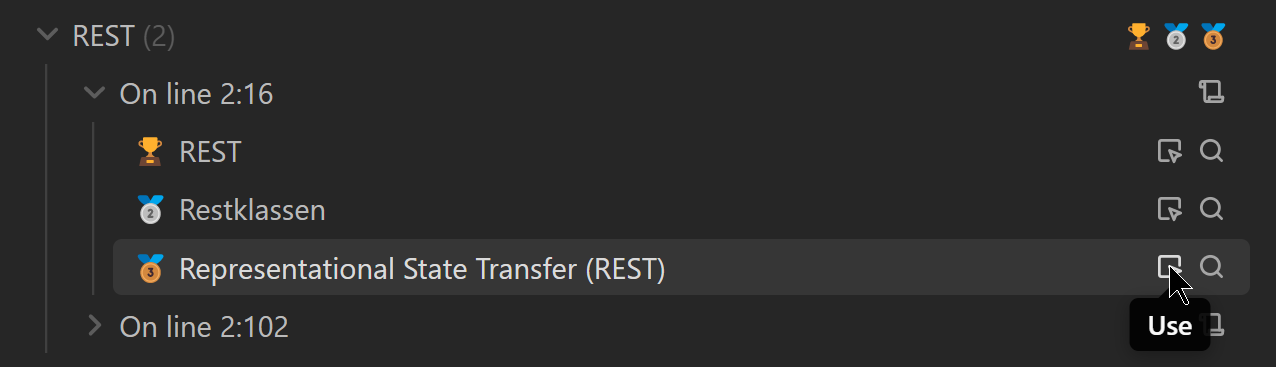
which will insert the following link:

In Obsidian a pipe (
|) inside a link denotes the "display text" of the link. This means that the text after the pipe will be shown instead of the link.
Under the hood
What is a suggestion?
A suggestion is a word in your active editor (current note) that can be linked to a heading, a tag, or a file in your vault:
mindmap
  root((Suggestion))
    Word in your current note
    Obsidian Vault Cache Item
      Heading
      File
      Tag
Crossbow leverages Obsidian's internal cache and does not manually parse your vault. To find matches in your current note, it strips the active editors content of any markdown syntax and then searches for suggestion in the stripped content.
A word about how suggestions are matched
Crossbow is opinionated, but also configurable about how it creates suggestions. As of 1.1.1 the process of filtering looks like this:
Initially, it gathers all the words in the active editor (current note) and all the cache items (Identified by their cache key) in the vault. Then, it follows a simple process for each word and cache key to create a suggestion:
- If the cache key stems from the active editor (current note), skip. Configurable, see setting Make suggestions to items in the same file.
- If we have an exact match (case sensitive) between word and cache key, add it as a very good suggestion (ranked as "🏆"). End of process.
- If the word is on the ignore list, skip. Configurable, see setting Ignored words.
- If the word is too short (Currently meaning less than 3 chars), skip.
- If the cache key is too short, skip. Configurable, see setting Minimum word length of suggestions.
- If the word is not a substring of the cache key or vice versa, skip
- If the word does not start with an uppercase letter, skip. Configurable, see setting Ignore suggestions which start with a lowercase letter.
- If the cache key does not start with an uppercase letter, skip. Configurable, see setting Ignore suggestions which start with a lowercase letter.
- If we have an exact match (case insensitive) between word and cache key, add it as a good suggestion (ranked as "🥇"). End of process.
- If we have a similarity of less than 20% length-wise between word and cache key, add it as a 'not-very-good' suggestion (ranked as "🥉"). End of process.
- Else, add it as a mediocre suggestion (ranked as "🥈"). End of process.
Keep in mind that these steps are processed in order. For example, take a look at the length filter in step 10. At this point, the word and cache key are already a substring of each other (step 6), meaning that this step adds things like "donut" and "donut hole punching machine manual". Not things that are in general vastly different to each other, which would create a lot of false positives.
How to install manually
- Clone this repo.
npm ioryarnto install dependenciesnpm run buildto build crossbow.- Copy
main.js,styles.css,manifest.jsoninto a folder calledcrossbowin your vault's.obsidian/plugins/folder.