mirror of
https://github.com/shoedler/crossbow.git
synced 2026-07-22 07:40:26 +00:00
No description
| src | ||
| .editorconfig | ||
| .eslintignore | ||
| .eslintrc | ||
| .gitignore | ||
| .npmrc | ||
| .prettierrc | ||
| DEV.md | ||
| esbuild.config.mjs | ||
| LICENSE | ||
| manifest.json | ||
| package-lock.json | ||
| package.json | ||
| README.md | ||
| styles.css | ||
| tsconfig.json | ||
| version-bump.mjs | ||
| versions.json | ||

🏹 Crossbow

Crossbow is a plugin for Obsidian. Its purpose is to improve the interconnectedness of your notes by providing suggestions for backlinks based on the notes in your vault.
How to use
Just open the crossbow sidebar by clicking on the crossbow icon. All the suggestions will appear within the sidebar.
Applying suggestions
Clicking on a suggestion in the sidebar will show you a list of occurences of the word in the current note. Clicking on one of the occurences will show you a list of links (matches) that you can apply to the word. These matches are ranked, based on the quality of the match.
You can apply a match by clicking the appropriate icon next to the match:
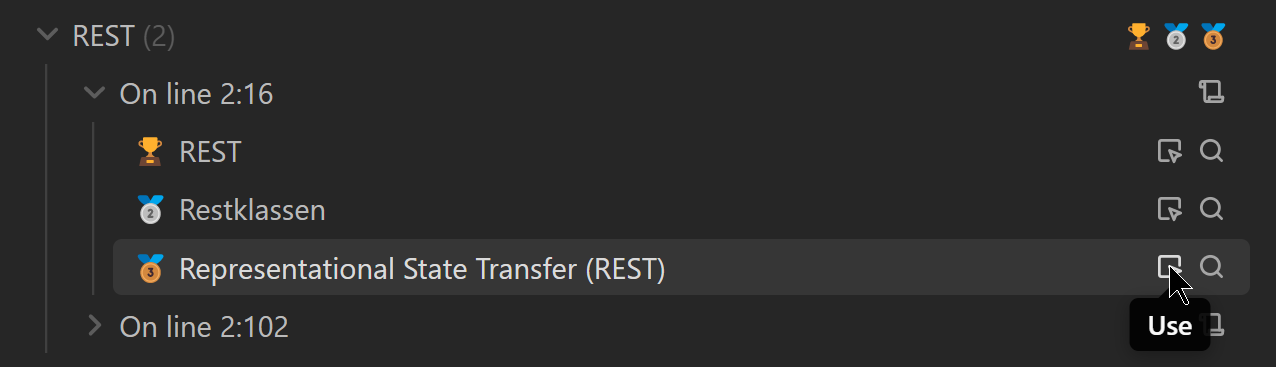
which will insert the following link:

How to install manually
- Clone this repo.
npm ioryarnto install dependenciesnpm run buildto build crossbow.- Copy
main.js,styles.css,manifest.jsoninto a folder calledcrossbowin your vault's.obsidian/plugins/folder.