mirror of
https://github.com/robisonweb/phantom-flow.git
synced 2026-07-22 04:50:23 +00:00
No description
| docs/images | ||
| fonts | ||
| .gitignore | ||
| LICENSE | ||
| manifest.json | ||
| README.md | ||
| Screenshot.png | ||
| theme.css | ||


Phantom Flow
A dark theme for Obsidian with clean typography, gradient-colored folders, and multiple selectable color palettes.
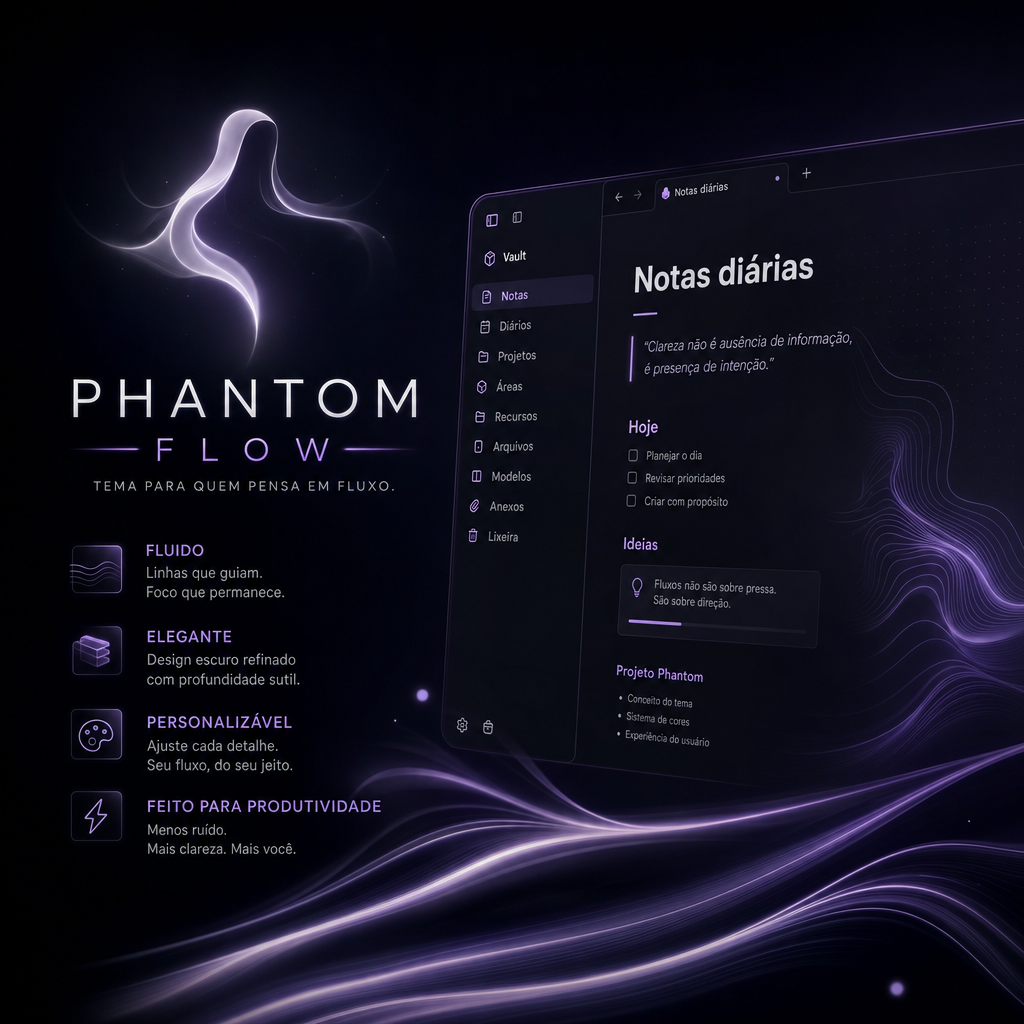

Features
- Roboto typography — the font is bundled locally with the theme, so it works fully offline.
- Custom dark background — deeper, cooler tones than a standard Nord palette.
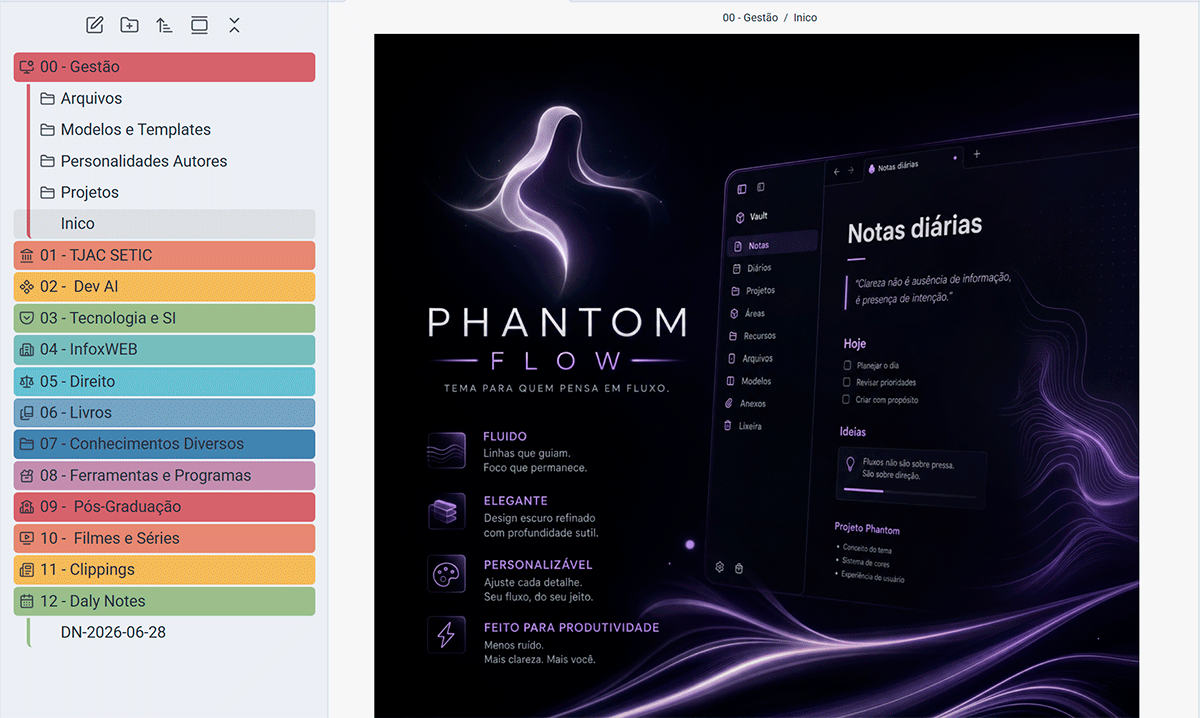
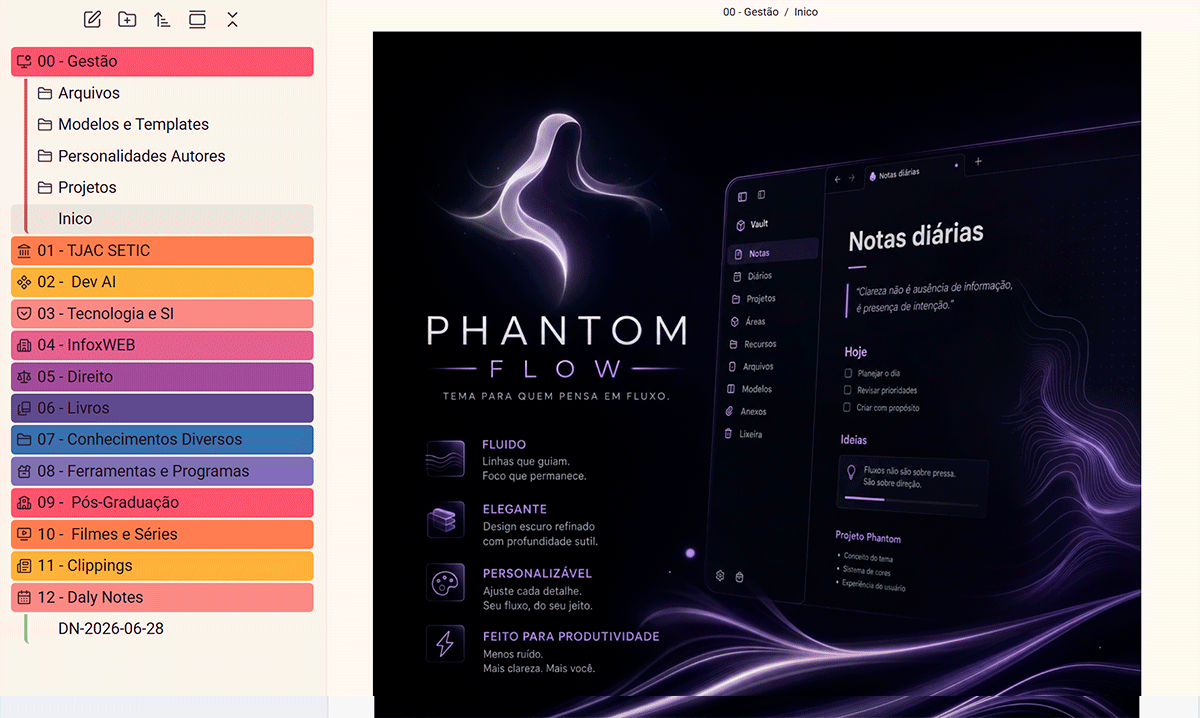
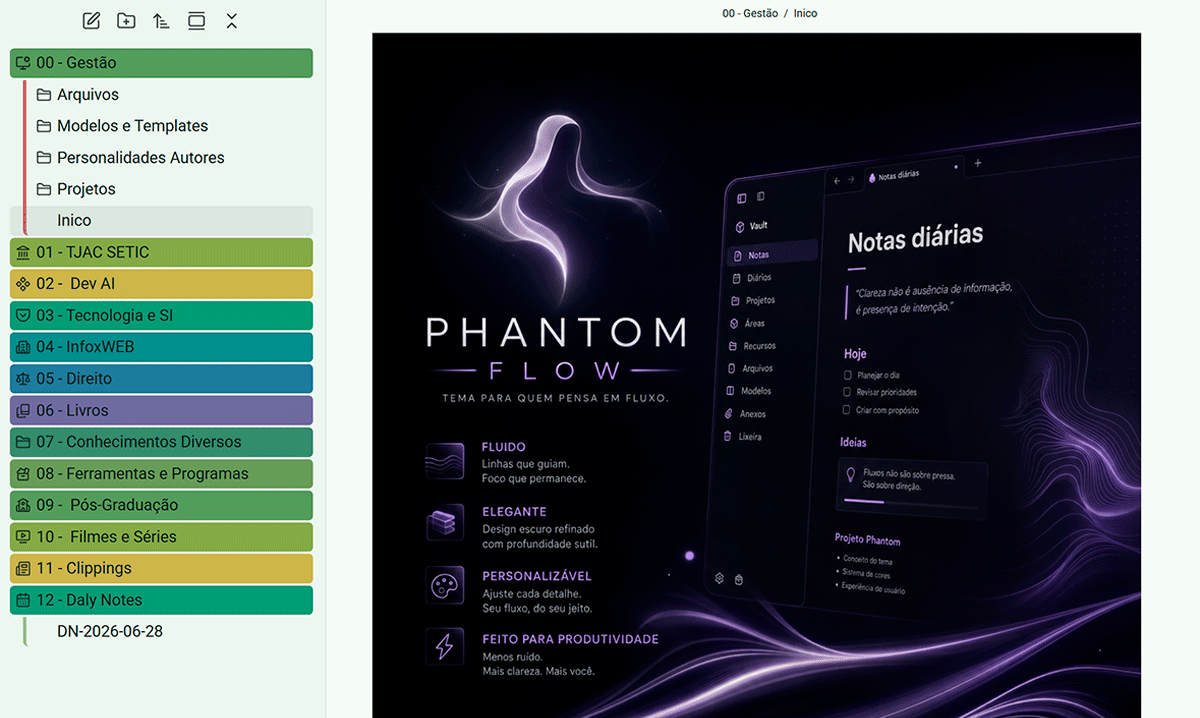
- Gradient folder colors — each top-level folder in the file explorer gets a distinct color, with a larger title font for better readability.
- 3 selectable color palettes, switchable live via the Style Settings plugin:
| Nord (default) | Sunset | Forest |
|---|---|---|
 |
 |
 |
Installation
- Donwload Phantom Flow Release 1.0
- Copy the
Phantom Flowfolder into<your vault>/.obsidian/themes/Phantom Flow/. - In Obsidian, go to Settings → Appearance and select the Phantom Flow theme.
- Install and enable the Style Settings community plugin to access customization options, including switching color palettes.
Switching color palettes
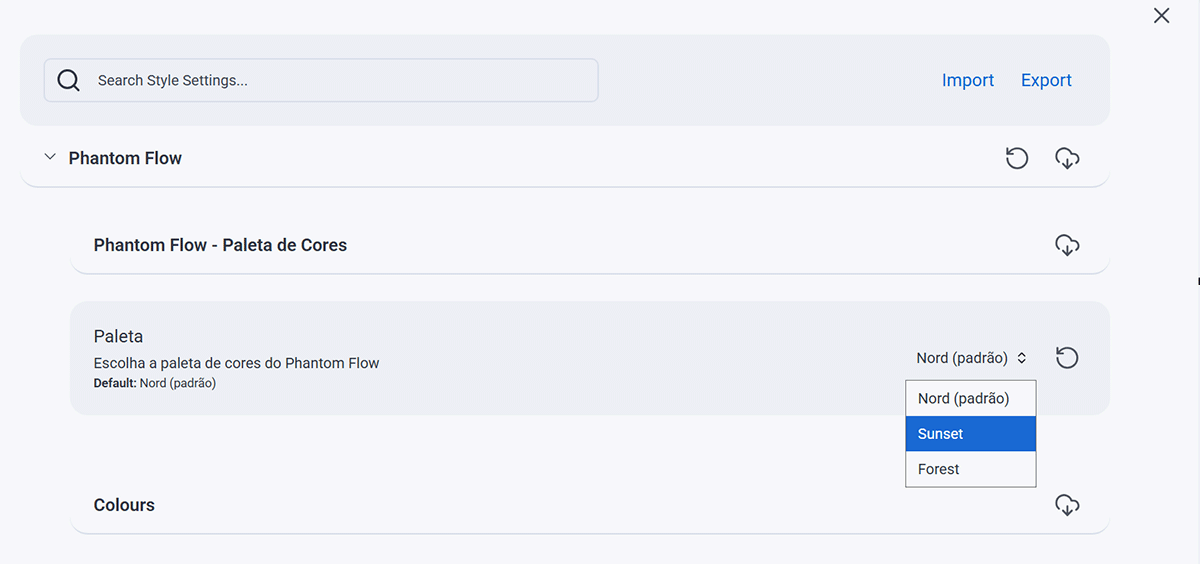
Open Settings → Style Settings, expand the Phantom Flow - Color Palette section, and pick a palette from the dropdown. The change applies instantly — no reload required.
License
GPL-3.0 — see the LICENSE file for details.