mirror of
https://github.com/avr/obsidian-reading-time.git
synced 2026-07-22 05:00:33 +00:00
No description
| .github/workflows | ||
| images | ||
| src | ||
| .gitignore | ||
| CHANGELOG.md | ||
| esbuild.config.mjs | ||
| eslint.config.mjs | ||
| LICENSE | ||
| manifest.json | ||
| package.json | ||
| README.md | ||
| tsconfig.json | ||
| version-bump.mjs | ||
| versions.json | ||

Obsidian Reading Time Plugin
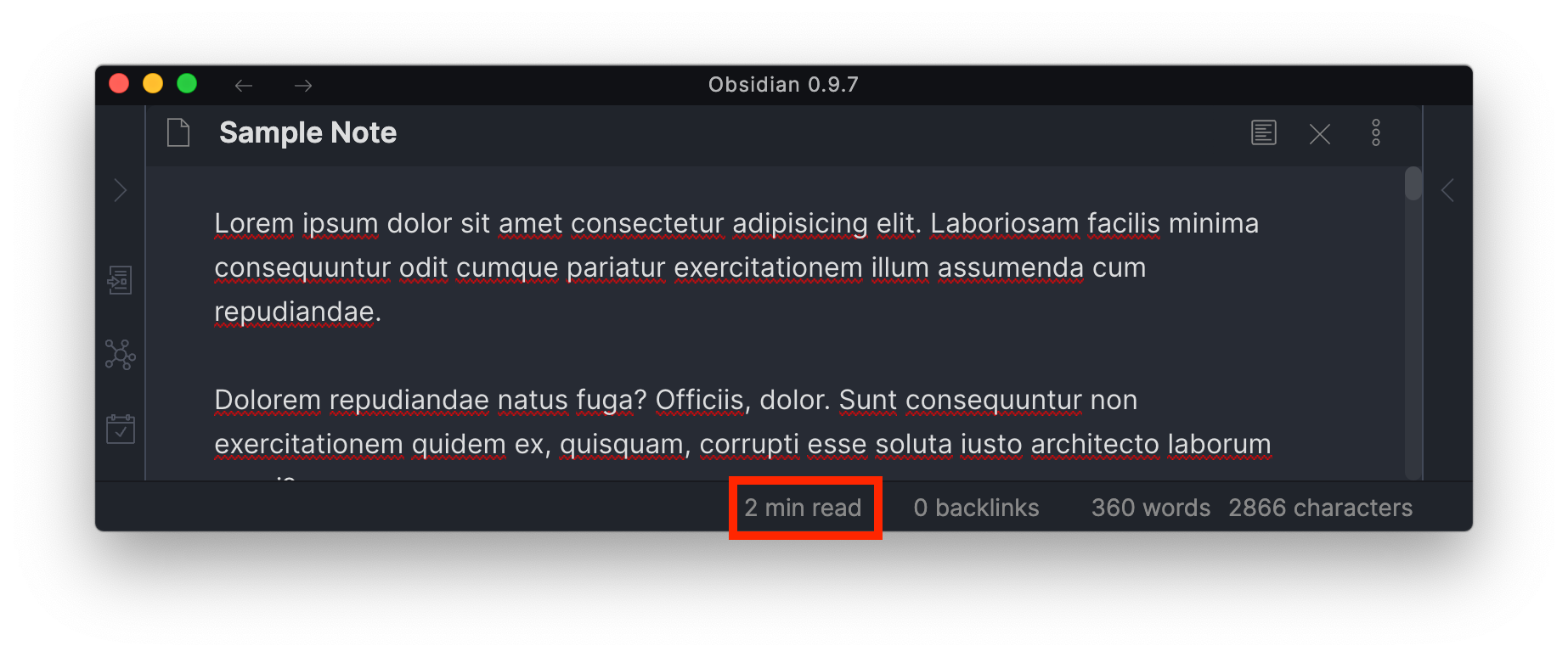
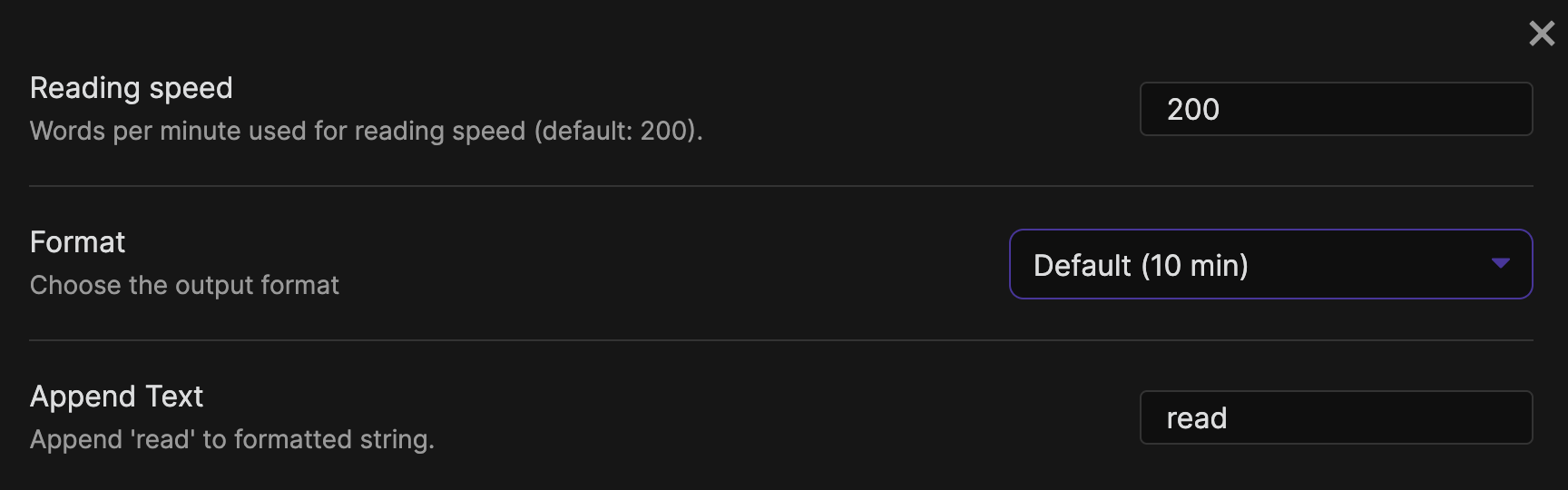
Simple plugin to add an estimated reading time for the selected note to the StatusBar.
How to install the plugin
- Download the Latest release
- Extract the
obsidian-reading-timefolder from the zip to your vault<vault>/.obsidian/plugins/
Contributing
Development
npm install
npm run build
cp main.js manifest.json /path/to/your/vault/.obsidian/plugins/obsidian-reading-time
Release
- After all changes for the release are merged create a new branch for the release
- Update the changelog with new features and fixes
- Run the
version-bump.mjsscript with the new version as an argument - Commit all changed files and create a pull request
- After the pull request is merged, create a new annotated tag for the release:
git checkout main
git pull
git tag -a x.y.z -m "x.y.z"
git push --tags
The release will automatically be drafted.