| images | ||
| operations | ||
| .gitignore | ||
| CHANGELOG.md | ||
| data.json | ||
| main.ts | ||
| manifest.json | ||
| package.json | ||
| README.md | ||
| rollup.config.js | ||
| styles.css | ||
| tsconfig.json | ||
| versions.json | ||

highlight public notes
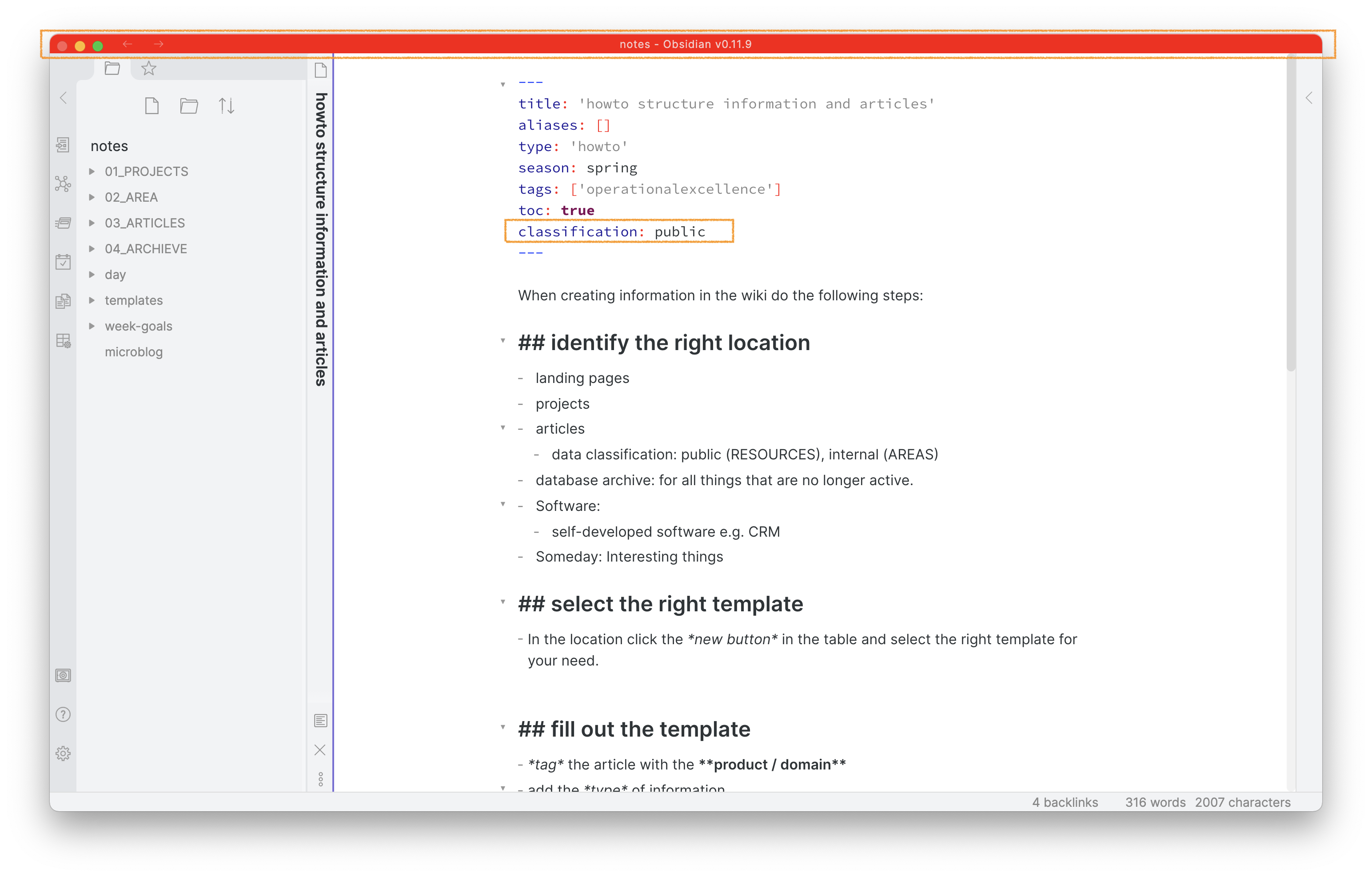
This plugin for Obsidian highlights the titlebar of notes that you classify as public in the frontmatter or that is contained in a specific folder. This prevents you from writing confidential data into notes you later publish e.g. through a script.
Usage
After enabling the plugin in the settings menu, configure if you want to highlight notes in a specific folder (e.g. 03_ARTICLES) or highlight a frontmatter attribute and value (e.g. classification: public). You can update the attribute the plugin checks as well as the value. Close the menu and add a note either to the highlighted folder or add the classified frontmatter attribute. As the plugin only performs the highlight check when you load the file you need to reload the file to see the higlighted titlebar imidiately. You can reload the file by switching to another note and back. You see on load of the page the plugin check the frontmatter e.g. classification: public or the path and highlights the titlebar red.
Alternative: cssclasses
Obsidian has a cssclasses build-in. Combining a custome css snippet with the cssclass: attribute in the frontmatter provides a similar functionality.
Compatibility
obsidian-highlightpublicnotes-plugin currently requires Obsidian v0.9.12 or above to work properly.
Installation
You can install the plugin via the Community Plugins tab within Obsidian. Just search for "highlight public notes".
Changes
You find the full changelog here.