mirror of
https://github.com/karstenpedersen/obsidian-vimium.git
synced 2026-07-22 10:30:27 +00:00
No description
|
|
||
|---|---|---|
| screenshots | ||
| src | ||
| .editorconfig | ||
| .envrc | ||
| .eslintignore | ||
| .eslintrc | ||
| .gitignore | ||
| .npmrc | ||
| esbuild.config.mjs | ||
| flake.lock | ||
| flake.nix | ||
| LICENSE | ||
| manifest.json | ||
| package-lock.json | ||
| package.json | ||
| README.md | ||
| styles.css | ||
| tsconfig.json | ||
| version-bump.mjs | ||
| versions.json | ||

Obsidian Vimium
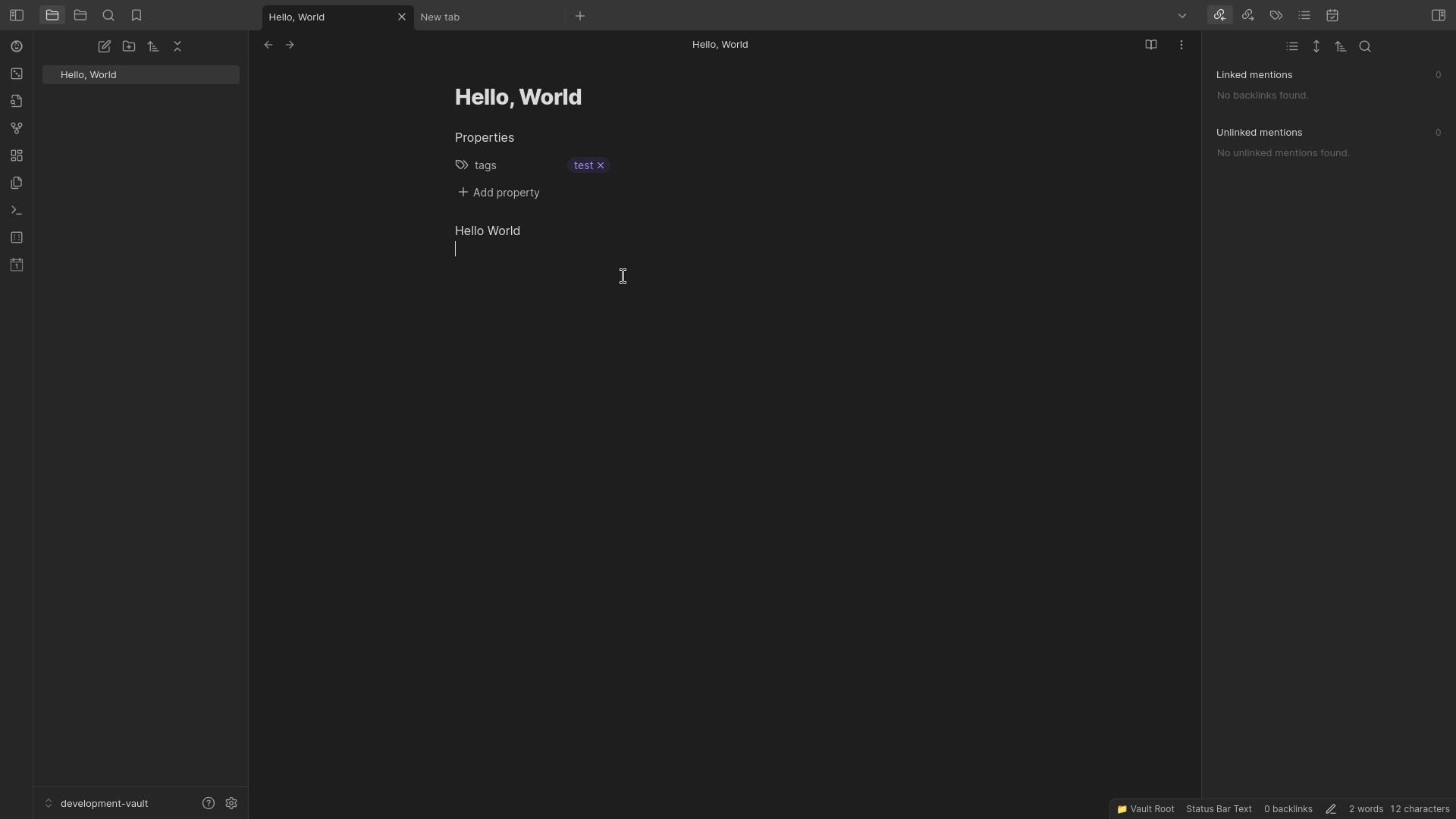
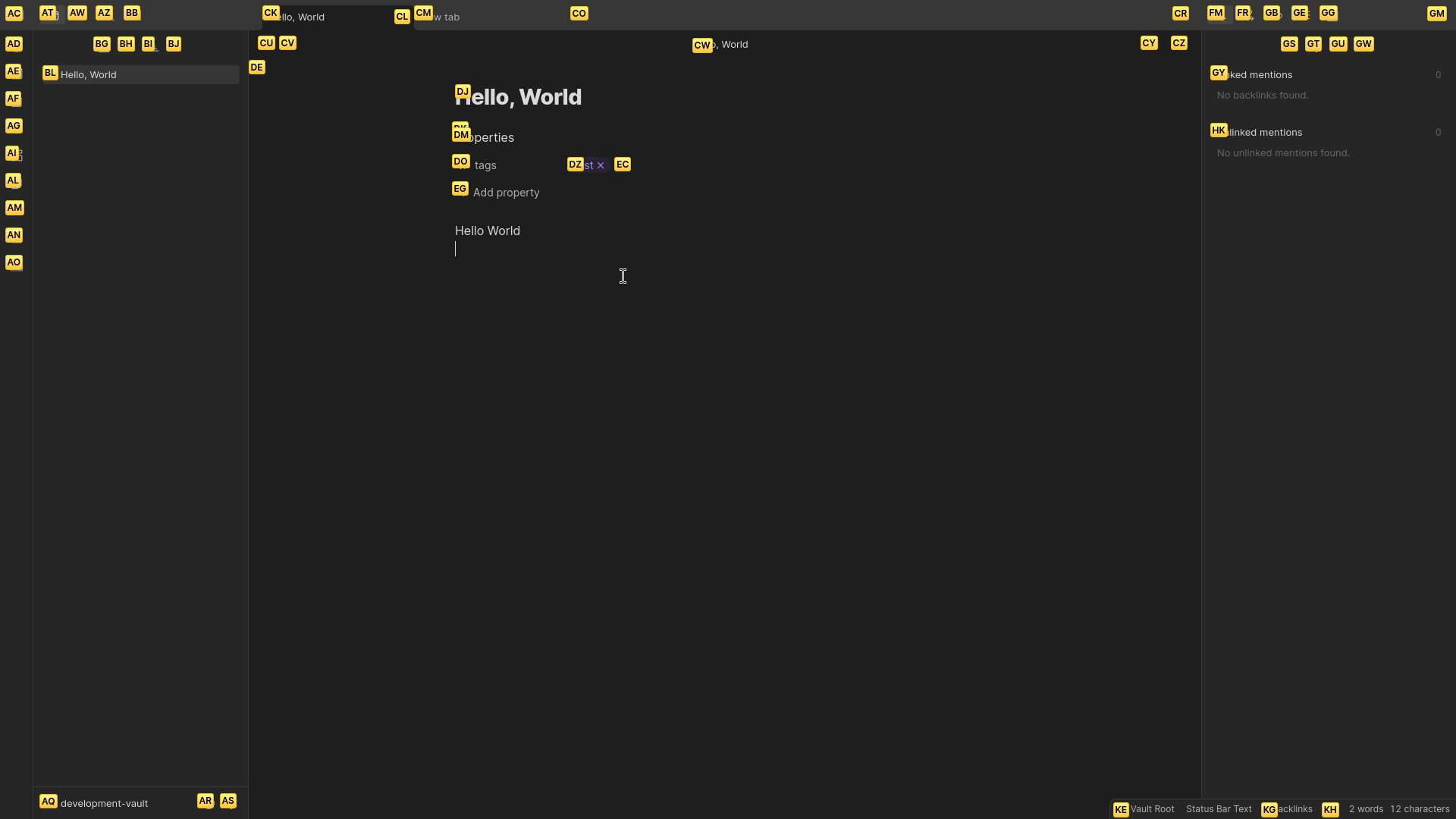
Provides keyboard shortcuts for clicking buttons in Obsidian.
Inspired by Vimium extension for Chrome.
Features
Vimium: Show markers: Show Vimium markers on clickable elements. Then press the respected keys for what element you want to click.- Edit what CSS selectors are used to query clickable elements.
- Change font size of markers.
Showcase
Installation
Obsidian
- Open Settings.
- Go to "Community Plugins".
- Enable community plugins by pressing "Turn on community plugins".
- Click "Browse" to browse available community plugins.
- Search for "Vimium".
- Click Install and enable the plugin.
- Close the community plugins window.
Version History
1.0.0
- Add
Vimium: Show markerscommand to show Vimium markers on clickable elements.