mirror of
https://github.com/lorens-osman-dev/double-row-toolbar.git
synced 2026-07-22 05:43:57 +00:00

1.5 KiB
1.5 KiB
Double row toolbar
Adds a second row to the Obsidian toolbar on mobile devices, allowing for more quick access buttons.
What the plugin do screenshot.
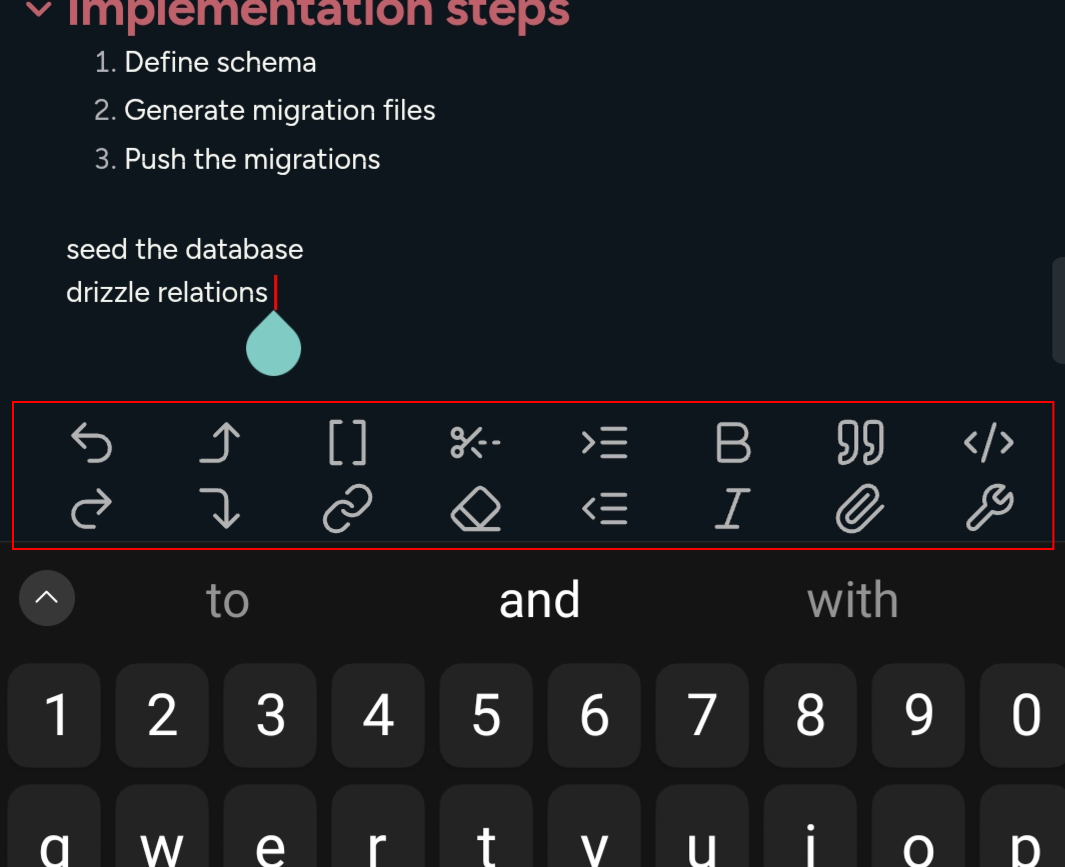
Recommended Toolbar.
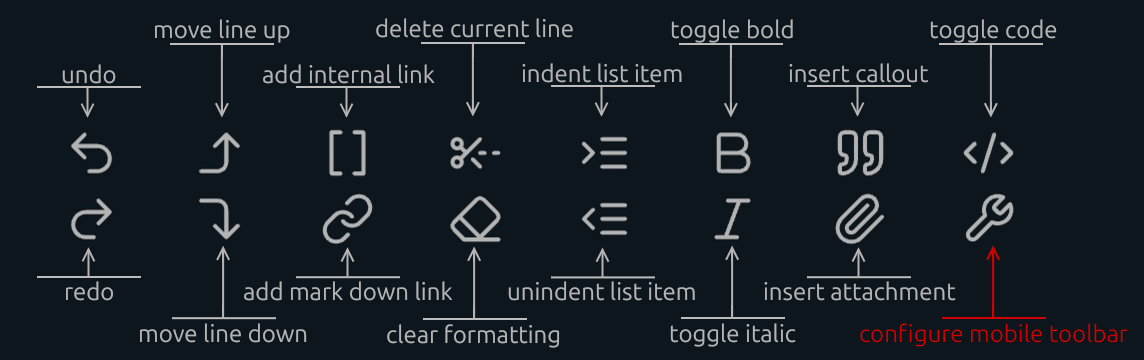
How to add delete current line button.
- Open a note and tap inside the editing area to show the toolbar.
- Tap the `configure mobile toolbar` button.
- Find `Double row toolbar : Delete current line` and add it to `Manage toolbar options`.
- If you can't find it, scroll to the bottom. In the `Add global command` section, search for `Double row toolbar : Delete current line`.
Bottom Offset
NEW: The plugin allows you to adjust the vertical position of the mobile toolbar to ensure it doesn't overlap with system gestures (like the home bar on iOS/Android) or other UI elements.
-
Usage:
-
Open Settings > Double Row Toolbar.
-
Use the Bottom Offset slider to move the toolbar up or down.
-
The changes apply instantly in the editor.
