mirror of
https://github.com/manogna4/obsidian-koncham-workspace.git
synced 2026-07-22 05:30:24 +00:00
No description
| media | ||
| .gitattributes | ||
| .gitignore | ||
| LICENSE | ||
| main.ts | ||
| manifest.json | ||
| package-lock.json | ||
| package.json | ||
| README.md | ||
| rollup.config.js | ||
| styles.css | ||
| tsconfig.json | ||
| versions.json | ||

koncham workspace
an obsidian plugin to enhance the workspace
features
'Center-panes' view on sidebar (vertical tabs)
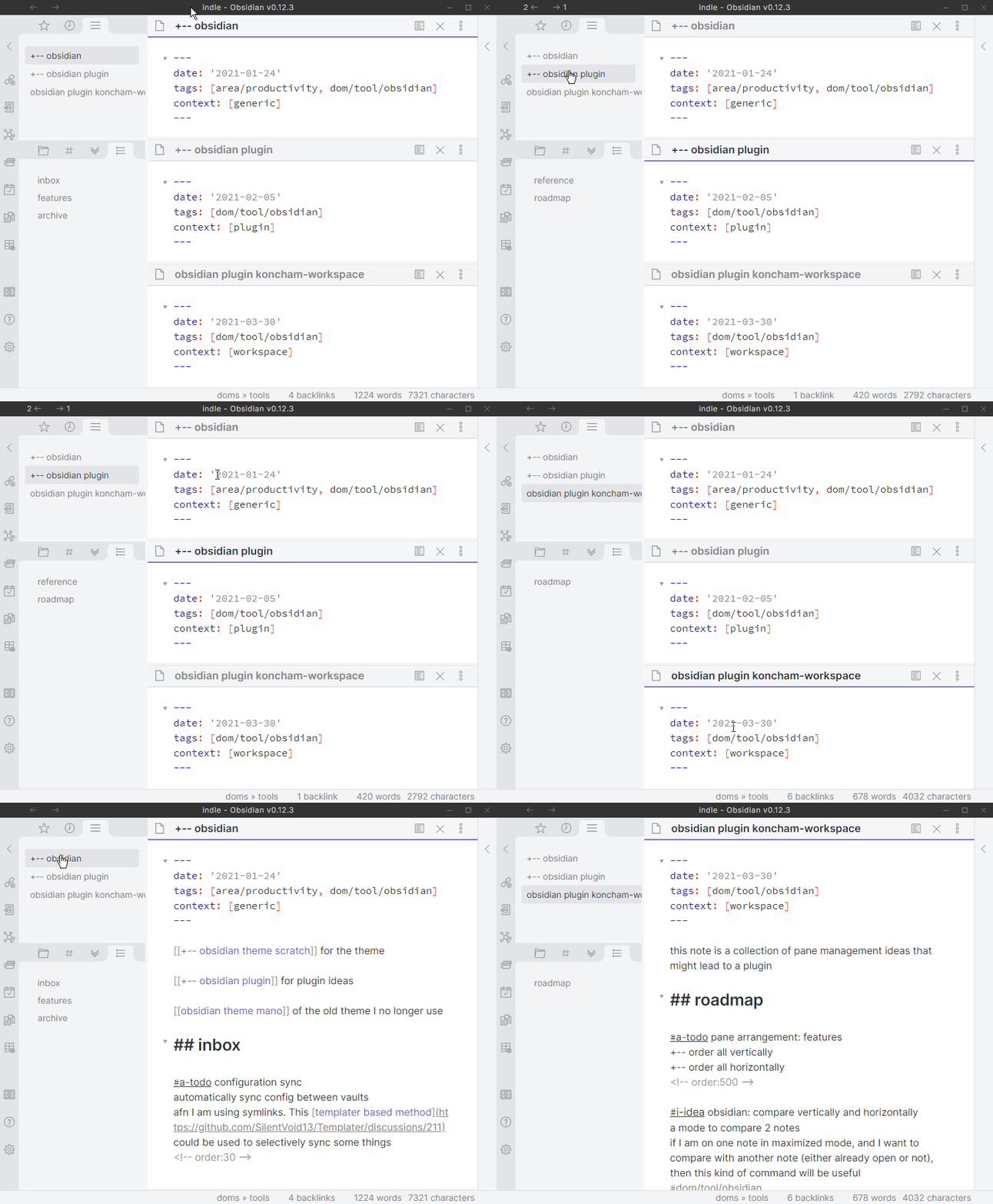
This is a tab on the left side-bar that lists all the panes open in the main area. This works a little like vertical tabs (in vivaldi and edge browsers).
features of this view:
- switch to any pane with one click
- active note is highlighted
- more features exposed through right-clicking the tab header
This view is useful when using obsidian in ways that hide some open panes.
examples of such modes include:
- sliding-panes
- maximize active pane
This screen recording demonstrates usage in the default and maximized modes:
pin/unpin panes
Pinning all panes forces every new note to open in it's own pane. When some external applications open a note in Obsidian, they switch away from the last active un-pinned pane. Pinning prevents losing your existing open notes.
features planned
- more functionality in
center panesview through right click - pane switcher modal
- pane arrangements such as (1+1), (1+2) using commands
- rearrange panes in alphabetical order
known issues
-- none right now --