| .github/workflows | ||
| .husky | ||
| .vscode | ||
| src | ||
| test/__mocks__ | ||
| .editorconfig | ||
| .eslintrc | ||
| .gitignore | ||
| .npmrc | ||
| .prettierignore | ||
| .prettierrc | ||
| eslint.config.ts | ||
| header.png | ||
| LICENSE | ||
| manifest.json | ||
| package-lock.json | ||
| package.json | ||
| README.md | ||
| styles.css | ||
| tsconfig.json | ||
| version-bump.mjs | ||
| versions.json | ||
| vite.config.mjs | ||
| vitest.config.ts | ||



Cooklang
This plugin allows you to edit and view recipes written in the Cooklang format.
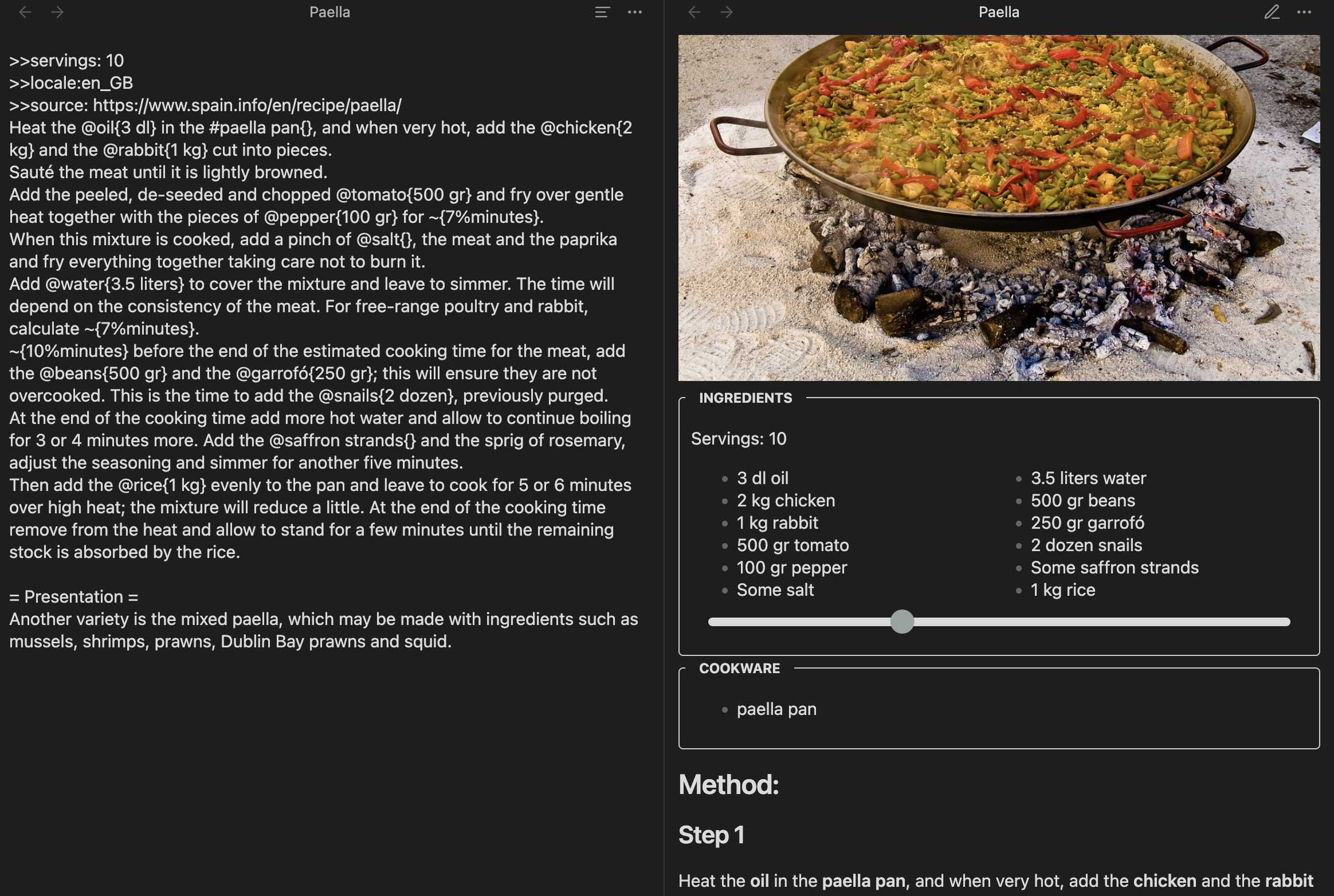
Installation
- You can find this plugin in the Community Plugins section inside the Settings.
- To develop, you can download the code into the .obsidian/plugins folder in a vault and run
npm installandnpm run devto see the changes.
Features
-
Multi language: The titles for the sections (i.e. ingredients, cookware and so on) will be translated into the recipe language or the one configured in the Obsidian settings
-
Scale quantities: The slider in the ingredients part allows multiplying or dividing the amounts
Searching
Obsidian won't search files that aren't of the extension *.md by default. Since cooklang has the .cook extension, any search will gnore the files, which is really impractical. Fortuntely, there's a workaround:
- Install the
omnisearchplugin - Open its settings
- Add the word
cookat the sectionAdditional TEXT files to index
The search has to be done from the sidebar search icon, but it works perfectly.
Changelog
- 0.0.10: Choose quantities as fractions or decimals
- 0.0.9: Support webp images, add languages
- 0.0.8: Initial version. Can edit, view, and select the language
Acknowledgments
-
This plugin is obviously inspired by cooklang-obsidian by deathau. I wanted to learn how to code for Obsidian and add multi-language capabilities to the Cooklang plugin.
-
The plugin is using cooklang-ts, which passes all the tests and seems better than the other JavaScript alternatives.