
2.8 KiB
Obsidian GitHub Sync
Plugin to sync a GitHub repository with an Obsidian vault.
Caution
This is still in beta.
I highly recommend not using this plugin with another sync service. This might create problems for this plugin when determining what needs to be synced between remote repository and local vault.
Features
These are the main features of the plugin:
-
Desktop and mobile support
-
Doesn't require
git -
Multiple vaults sync
-
Automatic sync on fixed interval
-
Manual sync
-
Conflicts handling (TODO 🔨)
-
Filtering by file type (TODO 🔨)
Installation
The plugin is still in beta so it's still not available in the community plugins.
For the time being you can install it with BRAT. If you never used BRAT see the official quick start guide.
If you already have BRAT installed to install GitHub Sync copy the following link and paste it in the browser address bar.
obsidian://brat?plugin=https://github.com/silvanocerza/obsidian-github-sync
Usage
First sync
When starting the plugin for the first time a dialog will guide you through the setup process.
If you already have files in your vault I strongly recommend you to create a new private GitHub repository and sync with that.
Note
Onboarding is currently not supported on mobile.
Token
A GitHub Fine-grained token is required to sync with your repository. You can create one by clicking here.
The token must have the Contents permission set to Read and write like in the screenshow below.

I also suggest creating the token with access only to your sync repo.
Sync modes
You can always sync manually by clicking the sync button in the side ribbon. This will always work even if sync on interval is enabled.
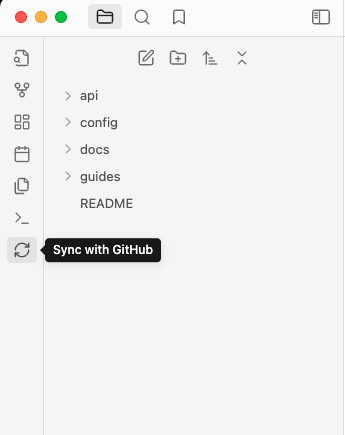
If you don't want to see the button you can hide it, just check the plugin settings.
The Sync with GitHub command is also available.
Config sync
If you want to sync your vault configs with other vault you can enable that.
It will sync the whole folder, that is .obsidian by default, including all plugins and themes.
Note
The
.obsidianfolder will always be in the root of your repository, even if you choose to not sync vault configs. That happens cause the plugin needs to store some metadata to correctly sync.
Reset
I still have to add a reset button to clean the plugin settings and metadata.
For the time being you can reset the plugin by disabling it in the plugins list and deleting the github-sync-metadata.json
file in your config directory, .obsidian by default.
License
The project is licensed under the AGPLv3 license.