mirror of
https://github.com/zhouhua/obsidian-white-noise.git
synced 2026-07-22 05:43:36 +00:00

1.4 KiB
1.4 KiB
White Noise Plugin
A white noise plugin for Obsidian designed to help users focus better and enter a calmer working state.
Features
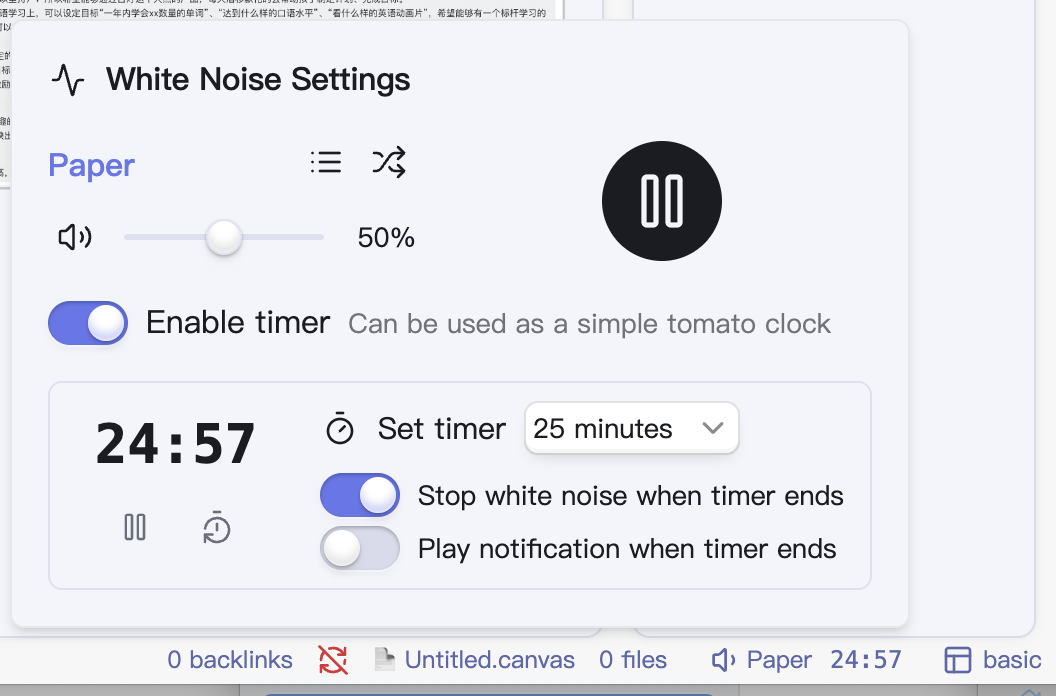
- White Noise: Includes dozens of sounds such as rain, coffee shop noise, and more
- Volume Control: Independently control the white noise volume, which can coexist with your music
- Timer Function: Built-in simple pomodoro timer that works in conjunction with white noise
Screenshot
Installation
- Open Obsidian and navigate to Settings
- Go to Community plugins and disable Safe mode
- Click on Browse and search for "White Noise"
- Click Install, then Enable the plugin
Credits
This plugin uses sound materials from the Moodist project. To better adapt to the Obsidian environment, some sound materials have been modified:
- Removed some potentially anxiety-inducing sound effects (such as thunder)
- Removed several oversized audio files to reduce the plugin size
- Further compressed the audio, modified to variable bit rate, merged dual channels into joint stereo, and preserved only sounds between 40Hz ~ 15000Hz
- Removed base noise audio files, replacing them with dynamically generated noise
Consider visiting the Moodist project to learn more.