| .github/workflows | ||
| docs/superpowers | ||
| fixtures | ||
| scripts | ||
| src | ||
| tests | ||
| .gitignore | ||
| LICENSE | ||
| manifest.json | ||
| package-lock.json | ||
| package.json | ||
| preview.png | ||
| README.md | ||
| screenshot.png | ||
| theme.css | ||
| THIRD_PARTY_NOTICES.md | ||
| versions.json | ||



Aera
A calm Obsidian theme with expressive, clearly structured content.
Aera is a Chinese-first Obsidian theme shaped around calm reading, clear hierarchy, and expressive content structure. It gives Chinese text a comfortable rhythm while keeping occasional English typography, code, and interface elements in balance.
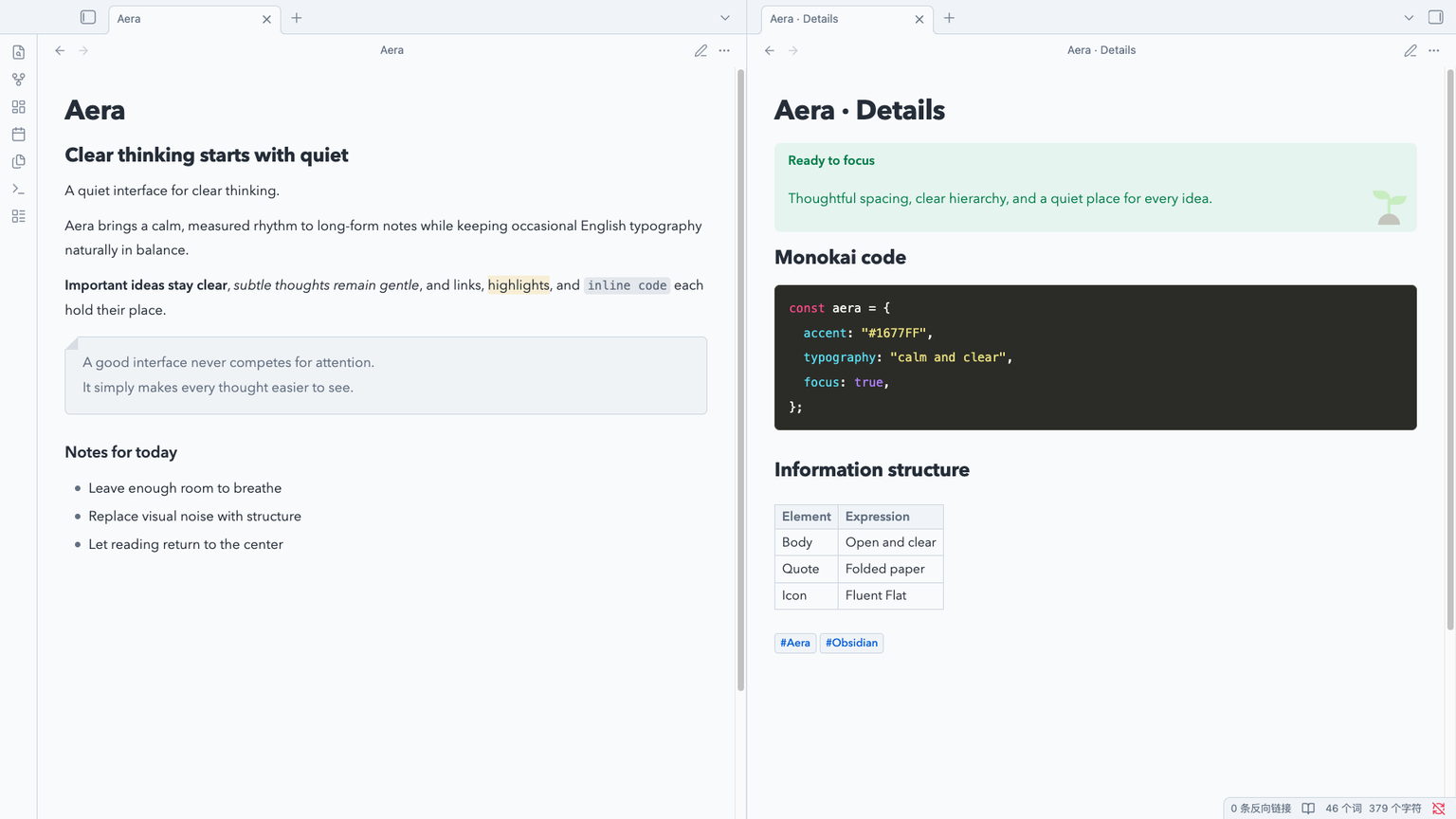
Design
Aera keeps Obsidian familiar. It respects the app's reading width and user font size, then refines the surfaces around them with a quiet blue accent, generous line height, and a neutral foundation that works in both light and dark mode.
The workspace stays calm while deliberate color, illustration, and surface treatment make each content type easy to recognize. Semantic callouts, paper-like quotes, and Monokai code blocks create strong local identities without making the overall interface noisy.
Highlights
- Chinese-first typography with balanced English text
- Calm light and dark palettes built around
#1677FF - Borderless semantic callouts with Fluent Emoji Flat illustrations
- Paper-like blockquotes with a subtle folded corner
- Monokai fenced code blocks and understated inline code
- Refined headings, links, lists, tables, properties, tags, and embeds
- Desktop and mobile support without overriding user-controlled text sizing
Installation
Community themes
- Open Settings -> Appearance in Obsidian.
- Select Manage under Themes.
- Search for Aera, then select Install and use.
Manual installation
Download manifest.json and theme.css from the
latest release,
place them in <vault>/.obsidian/themes/Aera/, and select Aera from Obsidian's
Appearance settings.
Updating
Community theme updates appear in Settings -> Appearance. Use Check for
updates to install the latest published version. Manual installations can be
updated by replacing manifest.json and theme.css with the latest release
assets.
Development
Install dependencies and compile the theme:
npm install
npm run build
Run the complete test, policy, and contrast suite before committing:
npm run check
Live preview
For live preview, set AERA_TEST_VAULT to a dedicated test vault, then run
npm run link:vault and npm run dev. The linker refuses to replace unknown
notes named Theme Playground.md or Embedded Note.md. Changes to
manifest.json require an Obsidian restart, while
compiled CSS automatically reloads in the linked vault.
Fluent Emoji assets are pinned and embedded in the compiled stylesheet. Run
npm run assets:sync only when intentionally refreshing those source assets.
Release assets
Every release contains the installable manifest.json and theme.css files.
Release tags must match the version recorded in the theme metadata.
Credits and license
Aera is available under the MIT License. The embedded Fluent Emoji Flat assets are provided by Microsoft under the MIT License; full attribution is available in THIRD_PARTY_NOTICES.md.